Last Updated: 26 October 2026
Quick Summary
The best comprehensive manufacturer support for energy consumption reduction combines seven features: remote diagnostics, proactive fault detection, default settings configuration, power management tuning, consumables advice, print policy guidance and scheduled performance reviews. Insist on a device-level consumption baseline and quarterly reporting so savings can be proven rather than promised.
- Remote diagnostics and proactive fault detection flag failing parts before they raise power draw and waste.
- Configuration visits should set sleep and deep-sleep timers, enable duplex and match brightness to the room.
- A manufacturing energy audit must give a device-level baseline, standby draw, usage profile and prioritised fixes.
- Compare support offers in writing on baseline, response times, included configuration, quarterly reporting and handover terms.
- Monitor consumption for at least a full quarter against the baseline, because savings decay as settings drift.
Table of Contents
- Why Manufacturer Support Decides Your Energy Reduction Results
- Seven Support Features That Actually Lower Consumption
- What a Manufacturing Energy Audit Should Uncover Before You Buy
- Practical Energy-Saving Tips for Manufacturing Plants Backed by Support
- Where Industrial Energy Management Systems Fit in Your Estate
- Energy Monitoring for Manufacturing: Proving the Savings Are Real
- How to Compare Support Offers Without Getting Sold To
- Book a Support and Energy Review With Crispin Associates
- Frequently Asked Questions
Why Manufacturer Support Decides Your Energy Reduction Results
Energy consumption in offices rarely falls because someone bought a new device. It falls because the device was configured, monitored and maintained by people who knew what they were doing. That is the case for the best comprehensive manufacturer support for energy consumption reduction: the hardware is only half the purchase, and the support contract is the half that keeps delivering savings after year one.
At Crispin Associates, we have supplied and supported office technology since 2000, and the pattern is consistent. Organisations that buy on specification alone often see running costs drift back up within months. Organisations that buy with support attached keep the savings.
The difference comes down to a handful of support features. Below, we break down the seven that matter, how to audit a supplier’s offer, and how to prove the savings are real.
Seven Support Features That Actually Lower Consumption
The seven features that drive measurable energy reduction are: remote diagnostics, proactive fault detection, default settings configuration, power management tuning, consumables advice, print policy guidance, and scheduled performance reviews. Each one addresses a different part of the consumption problem, and a good support contract includes all seven.

Remote Diagnostics and Proactive Fault Detection
Remote diagnostics let a support team read device status without visiting site. Proactive fault detection goes further: the system flags a failing fuser, a worn drum or a device running hot before it becomes a breakdown. That matters for energy because a device limping towards failure typically draws more power and produces more waste than one running cleanly. It also cuts downtime, which we cover in our guide to reducing printer maintenance downtime.
Default Settings and Power Management Configuration
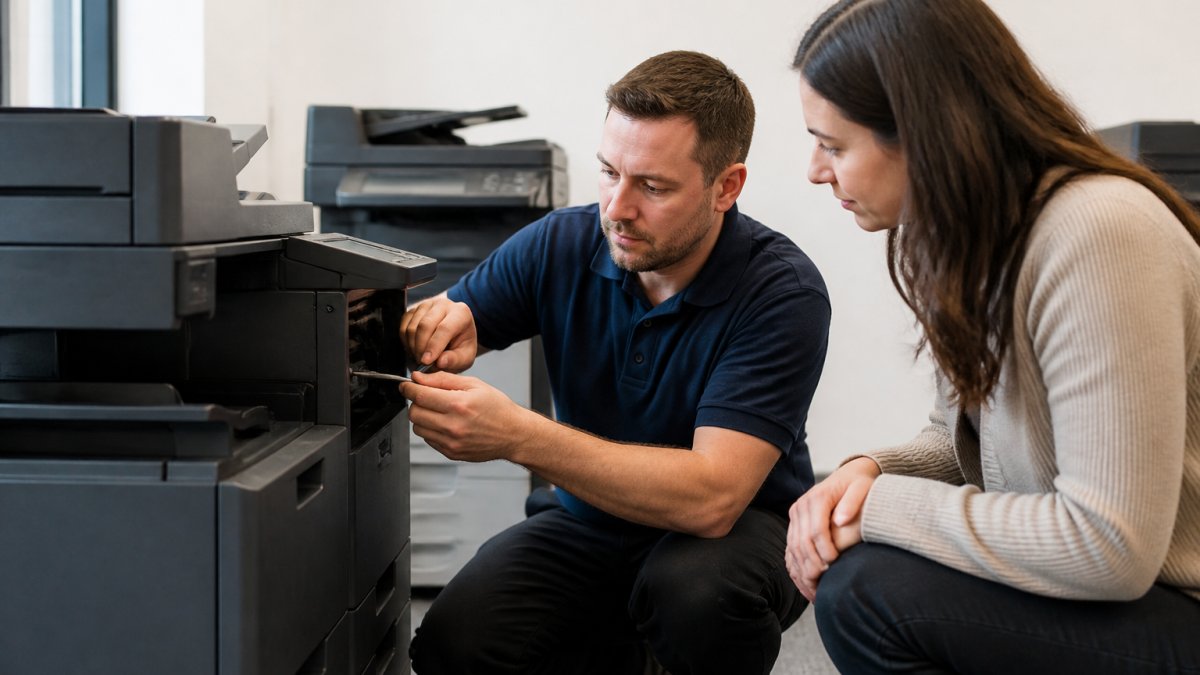
Most devices ship with settings tuned for demonstration, not for a real office. Sleep timers set too long, duplex printing switched off, and high-brightness display modes all add to the bill. Manufacturer support should include a configuration visit that sets sleep and deep-sleep timers, enables automatic duplex, and matches brightness to the room. A common mistake is leaving this to whoever unboxes the machine.
Consumables Advice and Print Policy Guidance
Consumables advice covers which cartridges, drums and paper actually suit your volume, and where compatible alternatives are safe. Print policy guidance sets the rules: who can print in colour, whether pull printing is enforced, and what happens to abandoned jobs. Together they cut both waste and cost. For the practical steps, see our article on how to reduce office printing costs.
What a Manufacturing Energy Audit Should Uncover Before You Buy
A manufacturing energy audit is a structured review of how much energy each device and process consumes, where the waste sits, and which interventions would pay back fastest. Before you sign any support contract, the audit should tell you four things.
First, a device-level consumption baseline, so you can measure improvement later. Second, standby and overnight draw, which is where a surprising share of waste hides. Third, a print and display usage profile by department. Fourth, a prioritised list of fixes with expected payback.
Watch out: an audit that produces only a headline figure and no device-level baseline is not an audit, it is a sales document. You cannot prove savings against a number you never measured.
Practical Energy-Saving Tips for Manufacturing Plants Backed by Support
These energy-saving tips for manufacturing plants work best when the support contract does the heavy lifting:
- Ask for sleep timers set to the shortest interval your workflow tolerates, then review after a month.
- Enforce duplex and mono defaults, and require a reason to print in colour.
- Switch off displays and signage outside operating hours using scheduled power profiles.
- Consolidate low-volume devices into fewer, better-used machines.
- Request quarterly consumption reports and compare them against the audit baseline.
- Have support review firmware and power settings after every service visit.
None of these require capital spend. They require someone with access to the settings and the will to change them, which is precisely what manufacturer support provides.
Where Industrial Energy Management Systems Fit in Your Estate
Industrial energy management systems are the monitoring layer that ties devices, meters and reporting together. They collect consumption data, surface anomalies, and produce the reports your finance and sustainability teams will ask for. They do not replace manufacturer support; they make it accountable, because you can see whether the settings changes actually moved the numbers.
Energy Monitoring for Manufacturing: Proving the Savings Are Real
Energy monitoring for manufacturing is the discipline of measuring consumption continuously rather than annually, and it is how you turn a supplier’s claim into evidence. Set a baseline before any change, monitor for at least a full quarter, and compare like for like: same devices, same season, same headcount.
What most guides miss is that savings decay. Settings get changed, devices get replaced, new starters override defaults. Monitoring catches the drift early. Without it, you are relying on memory and goodwill, and neither survives a budget review.
How to Compare Support Offers Without Getting Sold To
Compare support offers on deliverables, not on promises. Ask each supplier for the same five things in writing:
| What to ask for | Why it matters | Red flag if missing |
|---|---|---|
| Device-level baseline | You cannot prove savings without it | Only a headline figure offered |
| Named response times | Sets expectations for faults | Vague “rapid response” wording |
| Settings configuration included | The main source of quick wins | Charged as a separate project |
| Quarterly consumption reporting | Keeps savings from decaying | Reports on request only |
| Exit and handover terms | Protects you if you switch | No handover commitment |
Score each supplier against the table, and weight the baseline and reporting rows heaviest. A supplier who cannot describe how they will prove savings is unlikely to deliver them. For a deeper look at why support quality varies so much between manufacturers, read our piece on manufacturer support for sustainable tech sourcing.
Book a Support and Energy Review With Crispin Associates
The hardest part is not choosing features. It is finding a supplier who will still be answering the phone in year three, when a device is misbehaving and the energy report needs to go to the board.
Crispin Associates has supplied environmentally friendly office technology and complete manufacturer support since 2000, across printers, copiers, digital signage and interactive displays. We handle the support so your IT team does not have to, and we build sustainability into the specification rather than bolting it on afterwards.
Get started with Crispin Associates and put a measured energy baseline under your office technology. Contact us to arrange your support and energy review.
Frequently Asked Questions
What support can manufacturers provide to help reduce energy consumption?
Good manufacturer support covers more than repairs. It includes remote diagnostics that flag faults early, help configuring power-saving defaults, advice on consumables and print policy, and firmware updates that improve how equipment behaves when idle. Ask whether support includes site visits, a named contact and response times in writing. Support that only kicks in after a breakdown will not lower your consumption; support that prevents waste before it happens will.
How can a manufacturing business identify where it is wasting energy?
Start with a manufacturing energy audit that separates base load from production load. Meter the biggest users individually, log consumption across a full week including weekends, and compare against nameplate ratings. Idle equipment, oversized devices and standby power often account for a surprising share of the total. The audit should produce a ranked list of actions with estimated savings, so you can decide what to fix first rather than guessing.
How do energy audits help manufacturers lower consumption?
An audit turns vague intentions into a costed plan. It records what each asset consumes, identifies where savings are realistic and sets a baseline you can measure against. That baseline matters because without it you cannot prove whether changes worked. Pair the audit with energy monitoring for manufacturing so consumption is tracked continuously, not just once. Revisit the audit after any equipment change to confirm the expected savings have actually appeared.
What should businesses compare when choosing an energy-efficiency provider?
Compare the scope of support, not just the equipment. Ask what happens after installation: who handles faults, how quickly, and whether monitoring data is shared with you. Check whether the provider will help configure industrial energy management systems or only supply hardware. Request references from organisations similar in size and sector, and confirm compliance documentation is included rather than an extra. A provider that disappears after the sale leaves you managing the savings yourself.
If your consumption figures have plateaued and nobody can explain why, the answer is usually in the settings and the support behind them. Crispin Associates can review your estate, set the configuration properly, and keep reporting on it quarter after quarter. Get in touch to book your review.
