
Last Updated: November 15, 2026
Quick Summary
To calculate cost per page, divide the cartridge price by its page yield, then add the paper cost per sheet. For a full running cost, also add energy and maintenance spread across your monthly print volume. A £60 toner cartridge rated at 3,000 pages works out at 2p per page, plus 1p for paper.
- Divide the ream price by the sheet count: a 500-sheet ream at £5 gives 1p per sheet.
- Manufacturer-rated yield assumes around 5% page coverage, so real documents often cost more per page.
- Measure real yield by logging the printer counter when a cartridge is installed and replaced.
- A 2p gap per page becomes £100 a month at 5,000 pages.
- Set duplex printing as the default and switch to draft mode for internal documents.
Table of Contents
- What Cost per Page Actually Measures
- The Cost-per-Page Formula Step by Step
- Worked Examples: Monochrome, Colour and Mixed Print Jobs
- Real-World Yield versus Manufacturer-Rated Yield
- What Average Business Printing Costs per Month Look Like
- Using a Printer Total Cost of Ownership Calculator
- How to Reduce Office Printing Costs Without Replacing Hardware
- Getting an Accurate Cost-per-Page Review for Your Fleet
- Frequently Asked Questions
What Cost per Page Actually Measures
Cost per page is the amount you spend to produce one printed sheet, covering ink or toner, paper and, in a full model, energy and maintenance.
Across many organisations, consumables tend to get tracked while the rest gets ignored, and the true cost per print stays invisible.
Three numbers drive the result:
- Cartridge cost divided by page yield
- Paper price divided by sheets per ream
- Wear and energy spread across the monthly print volume
Get those right and you can compare any two printers on equal terms. Get them wrong and you will keep buying on sticker price alone.
The Cost-per-Page Formula Step by Step
The core formula is simple: cost per page = (cartridge price ÷ page yield) + paper cost per sheet. Add energy and maintenance for a full running cost.
- Find the cartridge price and its stated page yield.
- Divide price by yield to get ink or toner cost per page.
- Divide the paper ream price by the number of sheets.
- Add the two figures together.
- Add energy and servicing for a total cost of ownership.
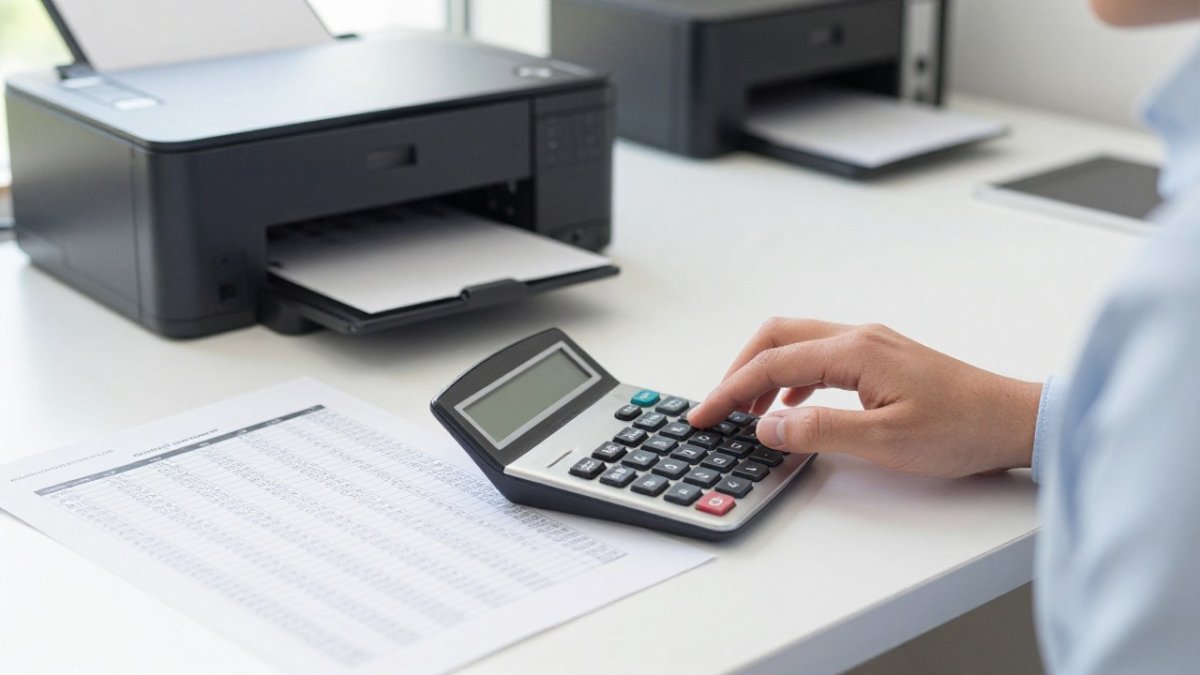
Finding the Cartridge Price and Page Yield
Page yield is the number of sheets a cartridge is rated to print, usually stated on the box or the manufacturer’s spec sheet. Divide the cartridge cost by that figure.
A toner cartridge costing £60 with a rated yield of 3,000 pages works out at 2p per page. An ink cartridge at £25 with a 500-page yield is 5p per page.
Working Out Paper Cost per Sheet
Take the ream price and divide by the sheet count. A 500-sheet ream at £5 gives 1p per sheet. That figure applies to every print, colour or mono, so it matters more than people expect at high volumes.
Worked Examples: Monochrome, Colour and Mixed Print Jobs
Monochrome printing is cheapest because black toner yields more pages per pound. Colour costs more because three cartridges share the load, and coverage varies wildly between documents.
Here is how the numbers compare across typical jobs:
| Print job | Ink/toner cost | Paper cost | Cost per page |
|---|---|---|---|
| Mono text document | 2p | 1p | 3p |
| Colour report, light coverage | 6p | 1p | 7p |
| Colour brochure, heavy coverage | 14p | 1p | 15p |
Ink/toner cost
Mixed jobs need a blended rate: if 80% of your volume is mono and 20% colour, weight each rate accordingly. Use that blended figure for budgeting, not the mono rate alone.
Real-World Yield versus Manufacturer-Rated Yield
Manufacturer-rated yield assumes a standard page coverage, often around 5%. Real documents rarely match that. Letters, forms and reports with logos and shading use more ink, so actual yield falls short.
This is the gap most guides skip. If your real yield is lower than the rated figure, your true cost per print is higher than the box suggests. Track actual pages per cartridge over a few cycles and use that number instead.
Why Rated Yield Is Only a Starting Point
Page yield figures come from controlled tests, and the standards that define them assume a fixed, low page coverage. Real office documents with logos, shading or photographs can use considerably more toner or ink than that test pattern, so actual yield is often lower than the rated figure.
The Factors That Move Actual Yield
- Coverage: The biggest variable. Dense text uses far less toner than a shaded table or photograph. If you print mostly forms, invoices or marketing material, assume real yield will be well below the rated figure.
- Print settings: Draft mode stretches a cartridge further; high-quality or photo modes consume more. Duplex printing does not change ink use per side but halves paper consumption.
- Cleaning cycles: Inkjets run periodic cleaning cycles that consume ink even when idle, so a printer left unused for days may spend a meaningful share of its ink on maintenance. Lasers have fewer routine cycles but still use toner during calibration.
How to Measure Your Real Yield
You do not need laboratory equipment. A simple log is enough:
- Note the page count on the printer’s counter when you install a new cartridge.
- Print as normal for the life of the cartridge.
- When the cartridge is replaced, note the counter again and subtract the starting figure.
- Divide the cartridge price by that actual page count to get your real ink or toner cost per page.
Repeat this for two or three cartridges to smooth out variation. The only number that matters for your budget is your own measured figure.
Watch out: if you change paper type, print settings or the mix of documents between cartridges, your measured yield will shift, so recalculate after any significant change in printing habits.
Adjusting Your Cost-per-Page Figure
Once you have a measured yield, substitute it into the formula: cartridge price divided by real yield, plus paper cost per sheet. If a £60 toner cartridge rated at 3,000 pages actually delivers 2,200, the ink cost per page rises from 2p to about 2.7p.
For a fuller picture of how real yields interact with servicing and downtime, our guide on reducing printer maintenance downtime explains how to keep devices running predictably.
What Average Business Printing Costs per Month Look Like
Monthly printing cost is your cost per page multiplied by monthly volume, plus fixed servicing.
Add colour volume, energy and any service contract, and the total climbs fast. For a fuller breakdown, see our guide to average business printing costs per month.
The lesson is not the exact figure. It is that small per-page differences compound across thousands of sheets.
Using a Printer Total Cost of Ownership Calculator
A printer total cost of ownership calculator adds the costs the basic formula leaves out: purchase price, energy, servicing and consumables over the device’s life. The output is a single figure you can compare across machines.
Build yours with these inputs:
- Purchase or lease cost, spread over the contract term
- Cost per page, calculated as above
- Monthly print volume
Divide the total lifetime cost by total pages printed. That per-page figure is the honest comparison point, and it is the one procurement teams should be asking suppliers for.
Consumable Cost per Page versus Total Cost per Page
Most online calculators stop at ink and paper. That is a consumable cost per page, and it is useful for comparing cartridges, but it is not the figure that tells you what a printer costs to run. Total cost per page includes:
- Consumables: ink or toner and paper, calculated as above using real-world yield.
- Energy: the printer’s power draw in watts, multiplied by hours of use and your electricity unit rate. A typical desktop laser draws around 400-600 watts while printing and a few watts on standby; an inkjet draws less. Use the manufacturer’s figures and your business rate in pence per kilowatt-hour (kWh).
- Maintenance and servicing: consumable parts such as fusers, rollers and waste toner bottles, plus any service contract. For a small office, budget a few pence per page for wear items; managed print contracts usually bundle this into a fixed pence-per-page rate.
A Worked Total Cost of Ownership Example
The same method can be applied to any two printers. Enter each machine’s purchase price, real cost per page, energy, servicing and expected monthly volume into a spreadsheet, then compare the total cost per page over the term you plan to keep them.
UK-Specific Assumptions to State Clearly
- VAT: Decide whether to use ex-VAT or VAT-inclusive prices, depending on whether your organisation can reclaim VAT, and state which basis you are using so comparisons are like-for-like.
- Paper sizes: A4 is the standard office size in the UK; A3 and A5 will change paper cost per sheet. Use the ream price for the size you actually print on.
- Electricity rate: Use your current business electricity unit rate in pence per kWh, not a domestic tariff.
- Lease versus purchase: Add any excess-page charges and end-of-term fees to a lease payment to get the true cost.
Making the Calculator Reusable
Set up a spreadsheet with one row per printer and columns for purchase or lease cost, real cost per page, monthly volume, annual servicing, energy per page and term in months.
Watch out: a calculator is only as good as its inputs. Use rated yield instead of measured yield, or forget servicing, and the model will flatter the cheapest printer on sticker price and mislead your procurement decision.
How to Reduce Office Printing Costs Without Replacing Hardware
You can cut printing expenses before buying anything new. Most savings come from settings and habits, not equipment.
Start with these:
- Set duplex printing as the default across the fleet
- Switch to draft mode for internal documents
- Default to mono and require a login for colour
- Print only what genuinely needs a physical copy
The Carbon Trust’s guidance on office equipment efficiency is a useful reference for the energy side of the equation. For a deeper set of tactics, read our guide on how to reduce office printing costs.
Getting an Accurate Cost-per-Page Review for Your Fleet
Once you have your own figures, the next step is an independent review.
That is where we come in. To act on the findings, explore our printing and copying services or contact us to arrange a review.
The challenge is straightforward: many fleets carry costs that nobody has measured. Getting the per-page figure right is a sound place to start.
Getting a grip on printing costs starts with knowing your true cost per page, not the figure on the cartridge box.
Frequently Asked Questions
What is the average cost per page for a laser printer?
A monochrome laser printer typically lands between 1p and 3p per page once cartridge and paper costs are combined, while colour laser output often runs three to five times higher because three colour cartridges are consumed alongside black. Your own figure depends on the cartridge price divided by its rated yield, plus the paper cost per sheet. Always calculate from the cartridges you actually buy rather than a generic average, because high-yield cartridges can lower the cost per page.
Why is my printer’s cost per page higher than the manufacturer’s estimate?
Manufacturer-rated yields are measured to a standard that assumes around 5% page coverage, so a page of dense text, a spreadsheet or a photo-heavy document uses far more toner than the rating assumes. Cleaning cycles and colour calibration can also consume ink without producing a page. Track your actual cartridge replacements against your monthly print volume for two or three months, then divide the real spend by the real page count to see your true cost per page.
How do I calculate the total cost of ownership for a printer?
Add the purchase price, the cost of every cartridge you expect to use over the machine’s life, paper, servicing, extended warranty and electricity. Multiply your monthly page volume by the cost per page, then by the number of months you plan to keep the device. A printer that costs more upfront but uses high-yield cartridges often works out cheaper over four or five years. A printer total cost of ownership calculator does this arithmetic for you and lets you compare two models side by side.
How can businesses reduce their printing costs per page?
Switch to high-yield cartridges, set duplex and mono as the default, and restrict colour printing to named users. Review page coverage: moving from single-sided colour reports to double-sided mono drafts can cut consumable spend sharply. Consolidate low-volume desktop printers into fewer shared multifunction devices, because idle machines still run cleaning cycles. Finally, audit your average business printing costs per month against your print volume to spot devices that are costing more than they should.
