Reduce Printer Maintenance Downtime: Tips to Minimise Disruption

Table of Contents

Last Updated: October 5, 2026

Why Printer Downtime Costs Your Organisation More Than You Think

Printer downtime disrupts workflows and drains resources faster than most organisations realise. Understanding how to reduce printer maintenance downtime is essential for operational efficiency. When a printer fails, staff can’t print documents, send faxes, or scan files. Work stalls.

The real cost goes beyond the obvious. Emergency repairs cost more than planned maintenance. Staff waste time troubleshooting instead of working. Critical documents get delayed. In larger organisations with multiple devices, a single failure can affect dozens of people at once.

At Crispin Associates, we’ve helped organisations across the public sector, education, and corporate environments understand that reducing printer maintenance downtime isn’t just about fixing problems when they happen. It’s about preventing them in the first place.

The good news: most printer downtime is preventable. Regular maintenance catches small issues before they become big ones. A clear schedule ensures nothing gets forgotten. Staff know what to do and when to do it.


Printer Preventive Maintenance Checklist: What to Do Before Problems Start

Preventive maintenance stops problems before they start. It’s far cheaper and easier than dealing with a broken printer. The key is consistency. Small tasks done regularly prevent expensive failures later.

Think of it like servicing a car. Regular oil changes keep the engine running. Skipping them leads to breakdowns. Printers work the same way.

Daily and Weekly Tasks

Daily checks take minutes but prevent major headaches. Check the paper tray each morning. Look for jams or debris. Empty the output tray so paper doesn’t pile up and cause feed problems. If your printer shows warning lights or error messages, note them. Don’t ignore them.

Weekly, run a cleaning cycle if your printer offers one. Many devices have a built-in maintenance mode. Check the user manual or the printer’s settings menu. Cleaning cycles remove dust and toner residue that builds up inside the device.

Key daily and weekly actions:

  • Check paper levels and quality
  • Clear the output tray
  • Look for visible jams or debris
  • Empty waste toner containers
  • Note any error messages
  • Run cleaning cycles if available
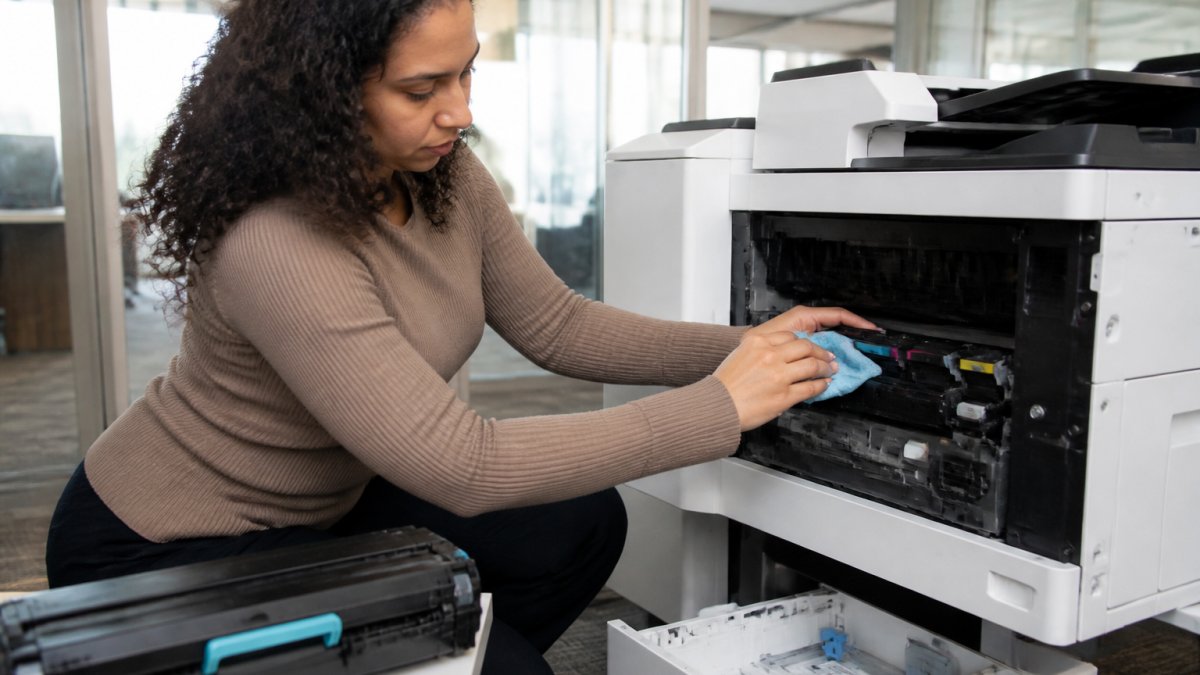
Office staff member checking printer supplies, cleaning around the toner cartridge area, and inspecting the paper tray in a modern workplace with natural lighting

Monthly and Quarterly Checks

Monthly maintenance goes deeper. Inspect the paper feed rollers. They can wear out and cause jams. Look for dust or toner buildup. Use a soft, dry cloth to gently clean visible surfaces. Never use water or harsh chemicals.

Check all cables and connections. Loose cables cause network problems and communication errors. Make sure everything is plugged in securely.

Quarterly, review your usage reports if your printer tracks them. Most modern printers log how many pages they’ve printed. If numbers seem high, you might need to adjust habits or consider additional devices.

Monthly and quarterly tasks:

  • Inspect paper feed rollers for wear
  • Clean dust from vents and surfaces
  • Check all cable connections
  • Review usage and error logs
  • Test network connectivity
  • Verify toner and supply levels

Office Printer Maintenance Schedule: Establishing a Routine That Works

An office printer maintenance schedule works only if it’s simple enough to follow. Complicated schedules get ignored. Clear, realistic routines become habits.

Start by assigning responsibility. One person or a small team should own printer care. They don’t need to be technical experts. They need to be reliable and know who to call if something goes wrong.

Write down your schedule and post it near the printer. Include what to check, how often, and who’s responsible. Make it visible so everyone knows the routine.

Your schedule might look like this:

Task Frequency Owner Notes
Check paper and clear jams Daily Office staff Takes 2 minutes
Run cleaning cycle Weekly Assigned person Use printer menu
Inspect rollers and cables Monthly Assigned person Look for wear or dust
Review error logs Quarterly IT or office manager Spot trends early
Deep clean (if needed) Annually Service provider Professional maintenance

The schedule should fit your organisation’s size and printer volume. A small office with one printer needs less frequent checks than a large organisation with ten devices.


Common Printer Problems and Solutions: Quick Fixes to Restore Service

Most printer issues have simple fixes. You don’t need a technician for every problem. Knowing what to do when something goes wrong keeps downtime short.

Paper Jams and Feed Issues

Paper jams are the most common printer complaint. They’re usually easy to fix yourself.

First, turn off the printer. Open all access panels. Look inside carefully. You’ll likely see torn paper or a piece stuck in the feed mechanism. Gently remove it. Don’t force anything or pull at angles. Torn paper left inside causes repeat jams.

Check the paper quality. Low-grade, damp, or curled paper causes jams. Use standard office paper stored in a dry place. Keep it flat and organised in the tray.

Feed roller issues cause repeated jams even with good paper. If jams keep happening, the rollers may need cleaning or replacement. This is when you call a service provider.

Quick jam fixes:

  • Turn off the printer first
  • Remove visible paper or debris gently
  • Check paper quality and storage
  • Close all panels and restart
  • If jams repeat, contact support

Faded prints or streaky output usually means toner is low. Check the toner level. Many printers show this on a display screen or through a software menu on your computer.

Dirty mirrors inside the printer also cause poor quality. Dust blocks the laser beam. Professional cleaning fixes this, but it’s not a quick fix.

Sometimes poor quality comes from wrong settings. Check that you’re using the right paper type in your print settings. Glossy paper needs different settings than plain paper.

Quality issues and fixes:

Contact Us →

  • Low toner causes faded prints
  • Dirty optics cause streaks
  • Wrong print settings affect output
  • Use the correct paper type
  • Replace toner before it runs out

Network and Connectivity Problems

Printers need a stable network connection. If staff can’t find the printer or print jobs hang, it’s often a network issue.

Check that the printer is connected to your network. Look at the printer’s display or settings menu. It should show an IP address. If it shows “No Network” or an error, restart the printer. Wait a minute and check again.

Restart your network router too. Unplug it for 30 seconds, then plug it back in. This fixes many connection issues.

If the printer still won’t connect, check that it’s on the same network as the computers trying to print. Some organisations have separate networks for different purposes. The printer and computers must be on the same one.

Network troubleshooting steps:

  • Check the printer’s network status
  • Verify the IP address is showing
  • Restart the printer
  • Restart your router
  • Confirm printer and computers are on the same network
  • Check for network cables that are loose or damaged

Printer Fleet Management: Coordinating Multiple Devices Across Your Organisation

Managing multiple printers requires a different approach than managing one. With several devices, you need a system to track them all.

Create a simple inventory. List each printer’s location, model, purchase date, and serial number. Note which person or department uses it. This helps you plan maintenance and budget for replacements.

Assign maintenance responsibility for each device. In larger organisations, you might have one person managing all printers. In smaller ones, different departments might each look after their own. Either way, someone needs to own it.

Schedule maintenance so not all printers are serviced at once. Stagger your deep cleans and major repairs. This keeps at least some devices working even during maintenance windows.

Fleet management essentials:

  • Keep an inventory of all devices
  • Assign clear responsibility for each printer
  • Schedule maintenance across different devices
  • Track usage and costs per device
  • Plan replacements before devices fail
  • Use management software if you have many devices

Reducing Downtime Through Staff Training and Responsibility

Staff cause many printer problems without realising it. Overloading the paper tray, forcing jammed paper, or ignoring error messages all lead to damage.

Simple training prevents these issues. Show staff how to load paper correctly. Explain what to do if a jam happens. Teach them to check the error message before calling for help. Most staff want to do things right. They just need to know how.

Create a simple guide and post it by each printer. Include photos if possible. Make it easy for anyone to understand. Avoid technical jargon.

Encourage staff to report problems early. A small issue reported today becomes a big failure tomorrow if ignored. Make it easy to report problems. Maybe a simple form or a message to the person responsible.

Training and responsibility actions:

  • Show staff proper paper loading
  • Explain basic troubleshooting steps
  • Teach how to read error messages
  • Create a simple printed guide
  • Make reporting problems easy
  • Recognise and reward good printer care

Partnering With a Managed Print Service Provider for Ongoing Support

At some point, every organisation benefits from professional support. A managed print service provider handles the technical work so your team doesn’t have to.

A good service provider monitors your printers remotely. They spot problems before they cause downtime. They schedule maintenance at times that work for you.

They also provide training for your staff. They help you optimise your printer fleet so you’re not paying for devices you don’t need. They handle emergency repairs quickly when something does go wrong.

Crispin Associates brings this expertise to organisations across education, the public sector, charities, and corporate businesses. We understand that printer downtime disrupts your work. We combine preventive maintenance with rapid response support.

When you partner with a service provider, you shift from reactive repairs to proactive care. Downtime drops. Costs become predictable. Your staff focus on work instead of printer problems.

Service provider benefits:

  • Remote monitoring catches problems early
  • Scheduled maintenance prevents emergencies
  • Automatic supply replenishment
  • Professional staff training
  • Optimised fleet for your needs
  • Rapid response when issues occur

Conclusion

Printer downtime is costly, disruptive, and often preventable. A structured approach to maintenance keeps devices running reliably. Daily checks, regular schedules, and clear responsibility make the difference between a printer that works and one that constantly fails.

Start with the basics: assign someone to care for your printers, create a simple maintenance schedule, and train staff on proper use. These steps alone cut downtime significantly.

As your organisation grows or your needs change, consider partnering with a professional service provider. Crispin Associates helps organisations optimise their office technology. We provide complete manufacturer support, environmentally-friendly equipment advice, and the expertise to keep your printers working when you need them. Contact us to learn how we can reduce your printer maintenance downtime and improve your overall office efficiency.

Frequently Asked Questions

How often should office printers be serviced to reducing printer maintenance downtime?

Most office printers benefit from servicing every 12 months as standard, though heavy-use environments may need quarterly checks. Regular servicing catches wear on components like rollers and fuser units before they fail. Your maintenance schedule should align with manufacturer recommendations and your organisation’s printing volume. An managed print service provider can tailor servicing frequency to your specific fleet and usage patterns, ensuring downtime stays minimal.

What should staff do when a printer stops working to minimise downtime?

First, check for obvious issues: paper jams, low toner, and network connectivity. Clear any jams carefully, following the printer’s manual. Restart the printer and your computer’s print spooler if jobs are stuck. For persistent problems, have staff report the issue to your designated contact or managed print provider immediately rather than troubleshooting further. Documenting the error message and actions taken helps your service team resolve it faster, getting your printer back online quickly.

Can predictive maintenance help prevent printer breakdowns before they happen?

Yes. Predictive maintenance monitors printer performance data, page counts, error rates, and component wear, to identify problems before failure occurs. Many modern printers track this information and alert you when maintenance is due. Managed print service providers use this data to schedule preventive work during planned downtime rather than waiting for emergency repairs. This approach significantly reducings unexpected breakdowns and the productivity loss they cause.

What are the most common causes of printer downtime in offices?

Paper jams, toner or ink depletion, and worn consumables like rollers and fuser units account for most downtime. Network connectivity issues and driver problems also disrupt printing. Poor maintenance habits, leaving debris inside the printer or ignoring warning messages, accelerate wear. Regular cleaning, timely consumable replacement, and preventive servicing address these root causes. Organisations using a structured maintenance schedule and fleet management approach experience significantly fewer unplanned outages.


Procuring Compliant Office Equipment: A 2026 Guide

Table of Contents

Last Updated: October 4, 2026

Why Compliance Matters in Office Equipment Procurement

Procuring compliant office equipment isn’t just a procedural checkbox for public sector organisations and educational institutions. It’s the foundation of operational efficiency, cost control, and risk mitigation. When your office technology fails to meet regulatory standards, you expose your organisation to audit failures, budget overruns, and reputational damage.

Compliance frameworks exist because they’ve been built around real-world failures. A procurement process that ignores them typically results in equipment that doesn’t integrate with your existing infrastructure, vendors who disappear mid-contract, or technology that drains resources rather than enhancing them. The cost of correcting non-compliant procurement decisions far exceeds the effort of getting it right the first time.

Crispin Associates helps organisations navigate the complexity of procuring compliant office equipment. The difference between a procurement process that works and one that creates problems comes down to understanding what compliance actually means in your context, then building a systematic approach to verify it before you commit.

Public Sector Procurement Frameworks for Office Supplies

Public sector procurement operates under strict governance structures designed to ensure value for money, transparency, and fair competition. Understanding which framework applies to your organisation is essential before you start any procurement process.

The primary procurement frameworks for public sector office equipment include the Government Procurement Agreement (GPA), which sets the threshold for competitive tendering and transparency requirements. For organisations below these thresholds, local procurement policies may apply, though the principles remain consistent: open competition, documented decision-making, and demonstrable value assessment.

NHS trusts and local authorities follow Public Contracts Regulations principles, requiring formal tender processes for significant purchases. Educational institutions often have their own procurement committees with specific approval thresholds. Charities and non-profits may have fewer regulatory requirements but typically operate under their own governance codes, which often include sustainability and value-for-money commitments.

The key is identifying which framework governs your organisation, then ensuring your procurement process aligns with those requirements from the outset. This prevents costly delays, legal challenges, or forced retendering.

Office Equipment Tender Specification: What to Include

A strong tender specification is where procuring compliant office equipment begins in practice. This document defines exactly what you’re asking suppliers to bid on, and poor specifications lead to poor bids and post-contract disputes.

Your tender specification should include functional requirements (what the equipment must do), technical specifications (processing power, speed, connectivity, security features), environmental standards (energy consumption, recycled content, end-of-life disposal), and support requirements (response times, spare parts availability, training). Be specific: don’t write “reliable printer”, write “A3/A4 multifunction device with minimum 40ppm, network connectivity, automatic duplex printing, and integrated security features compliant with ISO 27001.”

Include compliance requirements explicitly. Reference the standards your organisation must meet, such as accessibility standards for interactive displays or data security requirements for networked equipment. Specify what certifications you require (CE marking, Energy Star, FSC certification for paper handling) and request evidence of compliance as part of the bid response.

Define service level expectations clearly. Response times for equipment failures, spare parts availability, software update schedules, and staff training provision should all be part of the specification. This prevents the common scenario where a supplier wins on price but delivers poor support that costs you far more in productivity losses.

Office ICT Equipment Government Buying Standard Requirements

The Government Buying Standard (GBS) for ICT equipment establishes minimum requirements for any technology purchased by public sector organisations. Understanding these requirements is non-negotiable when procuring compliant office equipment for government bodies.

The GBS framework covers energy efficiency standards, security requirements, accessibility compliance, and environmental standards. For printers and multifunction devices, this includes minimum Energy Star certification, mandatory duplex printing capability to reduce paper consumption, and secure printing features that prevent documents sitting unattended in output trays.

For interactive displays and digital signage, the GBS requires WCAG 2.1 AA accessibility compliance, meaning the equipment must support users with visual, hearing, and motor impairments. This isn’t optional for public sector organisations; it’s a legal requirement under equality legislation.

Data security requirements mandate that networked office equipment must support encrypted connections, user authentication, and secure data deletion. Hard drives must be wiped to government standards before equipment is decommissioned or returned to suppliers (Secure sanitisation and disposal of storage media). Many organisations overlook these requirements until audit time, then face expensive retrofitting or equipment replacement.

Sustainability standards within GBS require that suppliers provide evidence of responsible manufacturing, ethical supply chains, and end-of-life recycling plans. This is where many organisations discover that the lowest-cost bid actually violates GBS requirements, forcing a retendering process.

Office Equipment Supplier Compliance Checks

Verifying that your chosen supplier can actually deliver compliant equipment is where many procurement processes fail. You need a systematic approach to audit suppliers before you sign contracts.

Procurement manager reviewing supplier compliance documentation and certifications at a desk with files, certificates, and computer screen showing compliance records

Start by requesting evidence of certifications. Ask for copies of ISO 27001 (information security), ISO 14001 (environmental management), and relevant product certifications (Energy Star, CE marking). Legitimate suppliers provide these readily; those who delay or claim they’re “not necessary” are red flags. Verify the certifications directly with the issuing bodies, don’t accept copies alone.

Check the supplier’s financial stability. Request annual accounts or credit reports; a supplier with declining revenue or deteriorating credit ratings may not survive long enough to honour multi-year support contracts. This is particularly important for smaller specialist suppliers, however good their products are.

Ask for references from organisations similar to yours. A supplier claiming expertise in NHS procurement should provide contact details for NHS trusts they’ve supported. Call those references and ask specific questions: Did the supplier deliver on time? Did they meet compliance requirements? Would you work with them again? Evasive answers are telling.

Verify that the supplier has appropriate product liability insurance and that they’re registered with relevant trade bodies. For office equipment, suppliers should be members of the British Office Supplies and Services Federation or equivalent trade organisations.

Request a compliance audit from the supplier. Ask them to document how they ensure all equipment meets your specified standards, how they verify certifications, and what happens if equipment fails compliance checks. Their response reveals how seriously they take compliance.

Contact Us →

Evaluating Whole-Life Cost and Sustainability

Procurement teams often focus on purchase price when evaluating bids, but whole-life cost analysis reveals the true financial and environmental impact of your decision.

Whole-life cost includes the purchase price plus operating costs (energy consumption, consumables, maintenance), support costs (service calls, spare parts), and end-of-life disposal costs. A printer costing £2,000 upfront but consuming high energy and requiring expensive toner may cost significantly more over five years than a £3,000 device with lower operating costs.

Energy efficiency directly affects your carbon footprint and operating budget. Energy Star certified equipment typically uses less energy than non-certified alternatives (Energy Efficient Products). Over a five-year contract, this translates to measurable cost savings and reduced environmental impact.

Sustainability extends beyond energy efficiency. Ask suppliers about recycled content in equipment, manufacturing practices that minimise waste, and end-of-life recycling programmes. Some suppliers offer equipment take-back schemes where old devices are refurbished or responsibly recycled, reducing your disposal costs and environmental burden.

Request detailed cost breakdowns from suppliers. Compare not just the equipment cost but also consumables pricing, maintenance contracts, and support response times. A bid that looks cheap may include expensive ongoing costs that outweigh the initial saving.

Consider the total cost of ownership over the contract period. A supplier offering comprehensive support, extended warranties, and proactive maintenance may cost more upfront but deliver better value by reducing unexpected failures and associated downtime.

Implementing Your Compliant Office Equipment Strategy

Moving from procurement planning to implementation requires a structured approach that embeds compliance throughout the process rather than treating it as a final check.

Start by establishing a procurement policy specific to office equipment. This policy should reference the compliance frameworks your organisation must meet, define approval thresholds, and outline the evaluation criteria you’ll use for all bids. A documented policy prevents ad hoc decisions and ensures consistency across multiple procurement cycles.

Create a compliance checklist that your procurement team uses for every tender. This checklist should include all relevant standards, certifications, and requirements specific to your organisation. Use it to evaluate bids consistently and document your decision-making process. This creates an audit trail that demonstrates compliance with procurement regulations.

Engage your IT, facilities, and sustainability teams early in the process. They understand what compliance actually means in your operational context and can identify requirements that procurement teams might overlook. A collaborative approach prevents the scenario where equipment meets technical specifications but fails to integrate with your existing systems.

Build compliance verification into your contract. Include clauses requiring the supplier to provide ongoing evidence of compliance, define what happens if equipment fails to meet standards, and establish a process for addressing non-compliance. This shifts responsibility appropriately and gives you recourse if issues emerge post-purchase.

Train your procurement team on the specific compliance frameworks your organisation must follow. Many procurement professionals have general experience but lack depth in public sector frameworks or sustainability standards. Investing in training reduces errors and speeds up future procurement cycles.

Document your procurement decisions thoroughly. Record why you selected specific equipment, which compliance requirements drove your decision, and what evidence you received from suppliers. This documentation proves compliance if you’re audited and helps your team learn from each procurement cycle.


Procuring compliant office equipment requires more than ticking boxes. It demands a systematic approach that integrates compliance from initial specification through to implementation and ongoing support. When you get this right, you reduce costs, mitigate risk, and create a foundation for efficient operations.

Frequently Asked Questions

How do public sector organisations procure office equipment?

Public sector organisations typically use established procurement frameworks such as Crown Commercial Service (CCS) agreements or regional frameworks. These frameworks have pre-vetted suppliers and pre-negotiated terms, reducing procurement time and ensuring compliance with public sector standards. Organisations can either call off directly from a framework or run a mini-competition among approved suppliers. For larger purchases, a formal tender process via Contracts Finder may be required to meet transparency and value-for-money requirements.

What should an office equipment tender specification include?

A robust office equipment tender specification must detail functional requirements (volume capacity, speed, connectivity), technical specifications (dimensions, power consumption, security features), compliance obligations (accessibility standards, data protection, environmental certifications), service expectations (response times, spare parts availability), and sustainability criteria (energy ratings, recycled content, end-of-life disposal). Include whole-life cost calculations and evaluation weightings so suppliers understand your priorities and can submit comparable proposals.

How does the Government Buying Standard apply to office ICT equipment?

The Government Buying Standard requires public sector organisations to consider open standards, interoperability, and accessibility when procuring office ICT equipment. Equipment must support integration with existing systems, meet WCAG 2.1 accessibility guidelines, and comply with data protection regulations. Energy efficiency is mandatory, with preference for equipment meeting or exceeding recognised environmental standards such as EPEAT or similar certifications.

What compliance checks should I run on office equipment suppliers?

Verify that suppliers are registered on the Supplier Assurance Model (SAM) and hold relevant certifications such as ISO 9001 (quality) and ISO 14001 (environmental management). Request evidence of manufacturer authorisation, insurance coverage, and references from similar organisations. Check their approach to data security, business continuity, and environmental responsibility. Ask about their support infrastructure, warranty terms, and experience with your sector (NHS, education, local government, etc.).

Can small charities and non-profits access compliant office equipment procurement frameworks?

Yes. Many frameworks are open to charities and non-profit organisations, though eligibility varies. Some CCS frameworks welcome third-sector organisations. Additionally, sector-specific buying consortia and regional frameworks often have lower thresholds for smaller organisations. Contact your local authority or sector body for recommended frameworks. Even smaller organisations should follow basic compliance checks on suppliers and include sustainability and whole-life cost criteria in their purchasing decisions.

What sustainability requirements should I include in office equipment procurement?

Specify minimum energy efficiency ratings (look for Energy Star or equivalent), recycled or responsibly sourced materials, manufacturer take-back and recycling schemes, and low volatile organic compound (VOC) emissions for devices. Include criteria on packaging reduction and supplier environmental certifications. Request whole-life environmental impact data and end-of-life disposal plans. These requirements reduce operating costs through lower energy consumption and support your organisation’s environmental commitments.

How should organisations compare the whole-life cost of printers and copiers?

Whole-life cost includes purchase price, energy consumption, consumables (toner, paper, maintenance), service and support, and end-of-life disposal. Calculate annual running costs based on expected print volumes and device specifications. Factor in downtime costs if equipment fails. Compare total cost of ownership over the device’s typical lifespan (usually 3-5 years) rather than purchase price alone. This approach often reveals that lower-priced equipment with high consumable costs is more expensive overall than premium, efficient alternatives.

Managed Print Services for Charities: A 2026 Guide

Table of Contents

Last Updated: October 3, 2026

What Managed Print Services Mean for Charities

Managed print services for charities represent a fundamental shift in how non-profit organisations approach office technology. Instead of purchasing printers outright and managing them independently, charities partner with a service provider who handles everything: device procurement, maintenance, supplies, and support.

For charities operating on tight budgets, this model transforms a capital expense into a predictable operational cost. You’re not buying equipment; you’re buying a service that keeps your printing infrastructure running smoothly. At Crispin Associates, we’ve worked with numerous charities to simplify their printing operations, allowing staff to focus on mission-critical work rather than troubleshooting paper jams or ordering toner.

The core benefit lies in predictability. Managed print services bundle hardware, consumables, and technical support into a single monthly fee. Your finance team knows exactly what printing costs, eliminating surprise repair bills or unexpected supply shortages. For a small charity with limited IT resources, this is genuinely transformative.

Charity office worker at desk with modern multifunction printer, reviewing printed documents with colleagues in background, natural daylight from windows

Beyond cost certainty, managed print services give charities access to equipment they might otherwise consider out of reach. A multifunction device that handles printing, scanning, and copying typically costs thousands to purchase outright. Under a managed service model, that same device becomes affordable through monthly instalments. The service provider retains ownership, handles maintenance, and replaces equipment if needed.

Environmental responsibility aligns naturally with managed print services. Providers optimise device usage, encourage duplex printing, and manage consumable recycling. For charities whose missions include environmental stewardship, this alignment matters both practically and philosophically.

Cost-Effective Printing for Non-Profits: How MPS Delivers Savings

Cost-effective printing for non-profits through managed print services works because it eliminates waste at multiple levels. Traditional approaches often result in overspending on supplies, underutilised equipment, and reactive maintenance costs that spike unexpectedly.

A managed service provider begins with a thorough audit of your current printing environment. They analyse your usage patterns, device locations, and supply consumption. From this baseline, they recommend the optimal number and type of devices for your actual needs, not your perceived needs. Many charities discover they’re operating far more printers than necessary, each consuming power and supplies.

The financial mechanics are straightforward. Instead of purchasing a £3,000 printer and hoping it lasts five years, you pay a monthly fee that includes the device, all supplies, and full technical support. If the device fails, the provider replaces it. If you need additional capacity, you adjust your service agreement. This flexibility is particularly valuable for charities whose staffing and operational needs fluctuate seasonally.

Supply management alone often generates significant savings. Providers track your usage patterns and deliver consumables automatically, preventing both stockouts and overstock situations. You’re not paying for toner sitting in a cupboard gathering dust, and you’re not paying rush delivery charges when supplies run out unexpectedly.

Technical support becomes part of your service, not a separate expense. When something breaks, you contact your provider. They diagnose and resolve issues remotely when possible, or dispatch a technician if needed. For small charities without dedicated IT staff, this removes a genuine operational burden.

GDPR Compliance in Office Printing: What Charities Must Know

GDPR compliance in office printing is non-negotiable for charities handling personal data. The General Data Protection Regulation applies to any organisation processing personal information about individuals in the EU or UK, including charities.

Printed documents containing personal data pose real compliance risks. A confidential donor list left in a printer tray, or a multifunction device retaining scanned documents in its memory, creates data protection vulnerabilities. The Information Commissioner’s Office (ICO) provides guidance on data security and office equipment, emphasising that organisations must implement appropriate technical and organisational measures.

Managed print service providers understand these requirements. They implement secure printing features that require authentication before releasing documents from the device. Sensitive files don’t print unless the user is physically present at the printer, preventing documents from sitting unattended. Devices include hard drive encryption and automatic data overwriting, ensuring that scanned documents don’t persist in device memory after processing.

Device disposal presents another compliance consideration. When equipment reaches end-of-life, the provider handles secure data destruction and responsible recycling. You maintain an audit trail documenting how and when devices were decommissioned. This documentation supports your GDPR accountability obligations.

Managed print services also simplify compliance reporting. Providers maintain records of device activity, supply usage, and maintenance history. When the ICO or an internal audit requires documentation of your data handling practices, you have concrete evidence that your printing infrastructure meets security standards.

Sustainable Printing Solutions for Charities: Environmental Impact Matters

Sustainable printing solutions for charities address both environmental responsibility and operational efficiency. Many charities operate with explicit commitments to sustainability, making environmentally conscious office technology a natural extension of their values.

Modern multifunction devices are engineered for efficiency. They consume significantly less power than older equipment, particularly when configured with sleep modes and automatic shutdown features. A managed print service provider typically includes energy-efficient devices and monitors power consumption as part of service optimisation.

Duplex printing, automatically printing on both sides of the page, is often enabled by default in managed services. This simple feature reduces paper consumption by half. For a charity processing hundreds of pages monthly, the cumulative environmental impact is substantial. Recycled and sustainably sourced paper options are also more readily available through service providers than through traditional procurement channels.

Device consolidation generates unexpected environmental benefits. Rather than operating multiple single-function printers scattered across your office, a managed service typically recommends fewer multifunction devices positioned strategically. This reduces the total power consumption of your printing infrastructure and decreases the environmental cost of manufacturing and transporting multiple devices.

Responsible recycling is built into managed print services. Toner cartridges, paper, and devices themselves are recycled through established programmes. The provider manages this process, ensuring compliance with waste regulations and environmental standards. Your charity avoids the burden of researching recycling options or managing hazardous waste disposal.

Key Features and Benefits of Managed Print Services

Managed print services for charities typically include several core features that directly address non-profit operational challenges.

Contact Us →

Predictable budgeting is perhaps the most immediate benefit. Monthly fees remain consistent, allowing your finance team to forecast costs accurately. No surprises when a device fails or supply costs spike. This stability is invaluable for charities managing restricted budgets and multiple funding sources.

Automatic supply replenishment ensures you never run out of toner, paper, or other consumables. The service provider monitors usage and delivers supplies proactively. Your staff don’t spend time ordering supplies or managing inventory. This might seem minor, but it eliminates a genuine operational friction point for small teams.

Technical support included means you have expert help available when issues arise. For charities without IT staff, this is essential. You contact your provider, describe the problem, and they resolve it. No need to research solutions or wait for an external IT consultant.

Device flexibility allows you to adjust your printing infrastructure as your needs change. If you expand your charity’s operations, you add devices. If you consolidate locations, you reduce your device count. Your service agreement evolves with your organisation.

Security features protect sensitive information. Secure print release, hard drive encryption, and automatic data overwriting prevent unauthorised access to printed or scanned documents. This is particularly important for charities handling donor information, beneficiary data, or confidential programme details.

Environmental reporting helps you document your sustainability efforts. Many service providers offer usage analytics showing paper consumption, energy usage, and recycling volumes. This data supports your environmental reporting and demonstrates commitment to stakeholders.

Choosing the Right Managed Print Provider for Your Charity

Selecting a managed print services provider requires careful evaluation of both service quality and organisational fit. Not all providers understand the specific constraints and priorities of charities.

Start by assessing your current printing environment. How many devices do you operate? What’s your monthly page volume? Which locations need printing capability? What specific challenges are you trying to solve, budget control, environmental impact, security compliance, or operational simplicity? Your answers shape what you should ask potential providers.

Look for providers with genuine experience serving charities and non-profits. They understand budget constraints, compliance requirements, and the reality that your IT resources are limited. Providers accustomed to serving only large corporate clients may not appreciate the operational differences in non-profit environments.

Evaluate the technical support offering carefully. What are response times for different issue types? Can they provide support during your actual operating hours, or only during standard business hours? For charities with extended hours or weekend operations, this matters significantly. Can they support your specific devices and systems, or do they work with a limited hardware portfolio?

Examine the environmental credentials. Does the provider actively promote duplex printing and paper reduction? What’s their approach to device recycling and responsible disposal? Do they offer sustainability reporting? For charities with environmental missions, these details should align with your values.

Consider the contract terms. Are you locked into a multi-year agreement, or can you adjust terms as your needs evolve? What happens if your usage patterns change significantly? A flexible provider accommodates growth and contraction without penalty. Crispin Associates works with charities to develop service agreements that reflect the reality of non-profit operations, where needs often shift as funding and staffing change.

Ask for references from other charities using their services. Speak directly with organisations similar to yours in size and sector. What’s their actual experience? Did the provider deliver on promises? Has the relationship remained strong over time, or have there been issues?


Charities operate under genuine constraints that commercial organisations don’t face. Your budget is restricted, your IT resources are stretched, and your mission demands that every pound spent advances your cause. Managed print services address these realities directly by converting printing from a complex operational burden into a predictable, manageable service.

At Crispin Associates, we’ve helped charities and non-profits optimise their office technology. We understand that your printing infrastructure exists to support your mission, not to consume resources or create management headaches. Our approach combines cost-effective solutions with environmental responsibility and comprehensive support, allowing your team to focus on what matters most.

If your charity is struggling with printing costs, compliance complexity, or the operational burden of managing office equipment independently, we’d welcome the opportunity to discuss how managed print services could transform your situation. Contact us to explore how we can help you achieve efficient, sustainable, cost-effective printing operations.

Frequently Asked Questions

How can managed print services help charities save money?

Managed print services reduce costs through predictable monthly billing, automated toner replenishment, and preventative maintenance that minimises downtime. Charities benefit from consolidated device management across multiple locations, eliminating hidden expenses from emergency repairs and overstock supplies. By outsourcing print management, your team focuses on mission-critical work rather than troubleshooting equipment issues.

Do managed print services comply with GDPR for charity data?

Yes, reputable managed print providers implement GDPR compliance measures including secure data handling, encrypted print jobs, and regular security audits. Charities handling sensitive donor or beneficiary information must ensure their provider offers data protection guarantees, secure disposal of printed materials, and clear documentation of compliance standards. Always verify your provider’s GDPR credentials and data protection policies before signing an agreement.

Are managed print services environmentally friendly for charities?

Managed print services promote sustainability through automatic duplex printing, energy-efficient devices, and responsible toner cartridge recycling programmes. Providers typically monitor usage patterns to reduce unnecessary printing and consolidate equipment, lowering your charity’s carbon footprint. Environmental responsibility aligns with many charities’ mission values and demonstrates good stewardship to donors and stakeholders.

What should I look for when comparing managed print service providers?

Evaluate providers on manufacturer support quality, sustainability credentials, scalability for your charity’s size, GDPR compliance certifications, and transparent pricing structures. Request case studies from similar non-profit organisations, clarify what support is included (maintenance, supply delivery, technical support), and confirm they can handle your current device fleet. Long-term reliability and post-sale support matter more than lowest upfront cost.

Document Management: A Complete Guide for Organisations

Table of Contents

Last Updated: October 19, 2026

What Document Management Actually Involves

Document management is the controlled process of capturing, storing, retrieving and retaining an organisation’s records so that the right person can find the right version at the right time. It covers paper, email attachments, scanned files and the metadata that ties them together.

The core problem is not storage. It is control. A file server holds documents; a document management approach governs who may see them, for how long, and in what state. That distinction decides whether an audit goes smoothly or becomes a fortnight of panic.

Three elements separate a genuine document management process from simple filing:

  • Ownership assigned to a named role, not a department
  • Lifecycle rules covering creation through to disposal
  • Evidence that the rules are actually followed

Miss any one of these and you have storage, not management.

How the Document Management Process Works End to End

Every working process follows five stages, and skipping any of them creates a gap an auditor will find. The sequence below is one we recommend.

An office manager at a desk scanning a stack of paper files into a desktop scanner, with a colleague reviewing digital records on a second monitor beside her, soft daylight from a window

Capture, Index, Store, Retrieve, Retain

  • Capture. Bring documents in from paper, email or line-of-business systems. Scan at a resolution that keeps text legible, and record the source.
  • Index. Attach the metadata that makes a document findable: date, author, department, reference number and retention class. Indexing is where most projects underinvest.
  • Store. Place the file in a repository with access controls inherited from the index, not applied afterwards.
  • Retrieve. Search by metadata, not filename. If staff resort to browsing folders, indexing has failed.
  • Retain. Apply a retention schedule and dispose of records on a documented basis.

The National Archives guidance on managing digital records sets out retention principles that translate well to any sector. Our advice: document the five stages before you shortlist any supplier.

Document Management System Features That Decide the Purchase

Buyers tend to compare feature lists.

Search, Permissions and Audit Trails

Search must work on metadata and full text together. A system that only searches filenames will push staff back to shared drives within weeks.

Permissions should be role-based and inherited, so a new starter inherits the correct access without a manual request. Audit trails must record who viewed, edited, downloaded or deleted a record, with timestamps that survive export.

Ask suppliers these questions before signing:

  • Can permissions be set at folder and document level?
  • Does the audit log export to a readable format?
  • How does the system handle a leaver’s access?

Document Version Control Without the Confusion

Version control is the practice of keeping a clear record of every change to a document, who made it and when, so no one works from an outdated copy. It sounds administrative. It prevents the most expensive mistakes.

The common failure is the filename convention: report_final_v3_ACTUAL.docx.

A workable model has three rules:

  1. One master copy lives in the repository; local copies are read-only.
  2. Major versions are numbered and approved; minor edits are tracked automatically.
  3. Superseded versions are retained but clearly marked, never deleted.

The Information Commissioner’s Office guidance on data protection by design reinforces the principle that records should be accurate and kept only as long as needed, which version control supports directly.

Contact Us →

Watch Out
Deleting superseded versions to “tidy up” is the single most common audit finding we see. Retain them, mark them superseded, and let the retention schedule decide disposal.

Choosing a System: A Decision Framework

Use this framework to shortlist suppliers against your actual requirements rather than their marketing. Score each option from 1 to 5 and require a minimum total before proceeding to demonstration.

Criterion What to Test Weight
Metadata and search Full-text plus metadata search on sample files High
Permissions model Role-based inheritance and offboarding High
Audit trail Exportable log with timestamps High
Retention and disposal Configurable schedule with approval step Medium
Integration Links to email, print and line-of-business systems Medium
Support model Named support route and response commitment High

Weight support heavily.

Document Management Best Practices That Hold Up Under Audit

Best practice in document management is less about technology and more about discipline.

Name a record owner for every major document class. Publish a retention schedule and review it annually. Train staff at induction, not once a year in a hurried email. Test retrieval: pick a random record and ask a colleague to find it in under two minutes.

The National Cyber Security Centre guidance on secure system design is worth reading alongside your access-control design, particularly on least-privilege principles.

Pro Tip
Run a quarterly “find it” test with five randomly selected records. If any takes longer than two minutes to retrieve, your indexing needs work before your next audit, not after.

Where Document Management Programmes Go Wrong

Buying the tool first and designing the process second is the classic error. So is treating document management as an IT project when the real work sits with records owners across the business. A third: no plan for paper. Scanned backlogs stall because nobody budgets the time to clear them.

The Cabinet Office guidance on records management is clear that records management is a business responsibility, not a technical one. That framing matters when you are building a business case.

Document management rewards the same discipline.


Crispin Associates can help you with environmentally-conscious advice on the office technology that feeds your document workflow, including printers, copiers and interactive displays, backed by complete manufacturer support. We have supported education, corporate, charity and public sector clients since 2000. Contact us to discuss how your document management process and office technology should fit together.

Frequently Asked Questions

What is document management?

Document management is the set of processes and tools an organisation uses to capture, store, organise, retrieve and retain its files, whether they arrive as paper, email attachments or scans. In practice it means every document has a known owner, a controlled location and a defined retention period, rather than sitting in shared drives and inboxes. For public sector and charity teams, it also means being able to show an auditor who accessed a file and when. Good document management reduces duplicated work, speeds up response times and keeps records compliant with retention obligations.

What document management system features should we prioritise?

Start with the features that match your compliance obligations, not the longest feature list. Prioritise role-based permissions, a full audit trail, metadata tagging and fast full-text search. If you handle contracts or policies, add version control with rollback. For public sector procurement, check integration with your existing line-of-business systems and whether the supplier can evidence security accreditations. Scanning and OCR matter if you still hold paper. Reporting on retention and disposal is worth having if you answer freedom of information requests regularly. Anything beyond that can wait until the first system is embedded.

What is the difference between document management and records management?

Document management handles day-to-day working files: drafts, correspondence, invoices and anything in active use. Records management sits on top and governs which of those documents count as the official record, how long they must be kept and how they are disposed of. A document management system with retention rules and disposal workflows covers much of records management, but the two are distinct disciplines. Organisations with statutory retention duties should confirm the system can enforce retention schedules and produce a disposal audit trail before signing.

How can an organisation improve its document management process?

Audit what you already hold before buying anything. A short exercise mapping file types, owners and volumes usually reveals that a small number of document categories cause most of the chaos. Then agree a naming convention, a folder or metadata structure and a retention schedule, and assign owners for each category. Clean the worst offenders before migrating. Train staff on the new process in small groups rather than issuing a policy document. Finally, review usage after three months; most problems come from people keeping parallel copies in email or personal drives, so address that directly.

How does document version control work in practice?

Version control keeps every revision of a document as a separate, timestamped copy rather than overwriting the previous one. When someone edits a policy or contract, the system records who changed what and when, and the previous version stays retrievable. Most systems support check-in and check-out so two people cannot edit the same file simultaneously, plus approval workflows before a version becomes current. The practical benefit is that you can answer ‘which version did we sign?’ in seconds. Set a rule that only the current approved version is visible by default, with older versions available to named roles.

Outgrowing Your Printer? How to Upgrade to the Most Eco-Friendly Office Print Solution—Without Sacrificing Service

Why Sustainability Matters in Office Printing

Businesses today face increasing pressure to reduce their environmental impact. Office print devices are often overlooked, yet they contribute significantly to energy use, waste, and carbon footprint. But upgrading to an eco-friendly print solution isn’t just about compliance—it’s also about demonstrating your commitment to sustainability and future-proofing your operations.

The Challenge: Loyalty vs. Sustainability

Many organizations are loyal to their current print device suppliers, valuing reliability and service. However, if your supplier doesn’t offer eco-friendly options, you may feel stuck between maintaining a trusted relationship and meeting your sustainability goals. The good news: you don’t have to compromise.

Step-by-Step: How to Make the Switch

1. Assess Your Needs and Goals. Start by identifying what sustainability means for your business. Is it energy efficiency, reduced waste, or using recycled materials? Clarify your priorities so you can evaluate new devices against these criteria.

2. Research Eco-Friendly Print Devices. Look for devices certified by recognized environmental standards (such as ENERGY STAR or Blue Angel). Consider features like duplex printing, low energy consumption, Heat-free system, low moving-part count, and recyclable cartridges.

3. Find a Supplier Who Shares Your Values. Seek out suppliers who specialize in eco-friendly office solutions. Ask about their leasing options, support services, and sustainability credentials. Don’t hesitate to request case studies or references.

4. Ask the Right Questions

·        What is the device’s energy rating?

·        How much energy does the device consume in operation?

·        Are consumables (toner, paper) sustainably sourced?

·        What is the end-of-life recycling process?

·        How does the supplier support ongoing sustainability efforts?

5. Plan Your Transition. Work with your new supplier to ensure a smooth switch. This might include training staff, setting up recycling programs, and monitoring usage for continuous improvement and auto-ordering of consumables.

The Result: Reliable, Sustainable Printing—Made Easy

By following these steps, you’ll have a clear path to upgrading your office print devices without sacrificing the service and reliability you value. Your business will then benefit from lower operating costs, improved environmental credentials, and a solution that aligns with your values.

Calls to Action

·        Look at any existing contracts and how long they have until expiry

·        Ready to upgrade? Contact us for a free sustainability assessment..

01823 210225

delighted@crispinassociates.co.uk