
Table of Contents
- What Document Management Actually Involves
- How the Document Management Process Works End to End
- Document Management System Features That Decide the Purchase
- Document Version Control Without the Confusion
- Choosing a System: A Decision Framework
- Document Management Best Practices That Hold Up Under Audit
- Where Document Management Programmes Go Wrong
- Frequently Asked Questions
Last Updated: October 19, 2026
What Document Management Actually Involves
Document management is the controlled process of capturing, storing, retrieving and retaining an organisation’s records so that the right person can find the right version at the right time. It covers paper, email attachments, scanned files and the metadata that ties them together.
The core problem is not storage. It is control. A file server holds documents; a document management approach governs who may see them, for how long, and in what state. That distinction decides whether an audit goes smoothly or becomes a fortnight of panic.
Three elements separate a genuine document management process from simple filing:
- Ownership assigned to a named role, not a department
- Lifecycle rules covering creation through to disposal
- Evidence that the rules are actually followed
Miss any one of these and you have storage, not management.
How the Document Management Process Works End to End
Every working process follows five stages, and skipping any of them creates a gap an auditor will find. The sequence below is one we recommend.
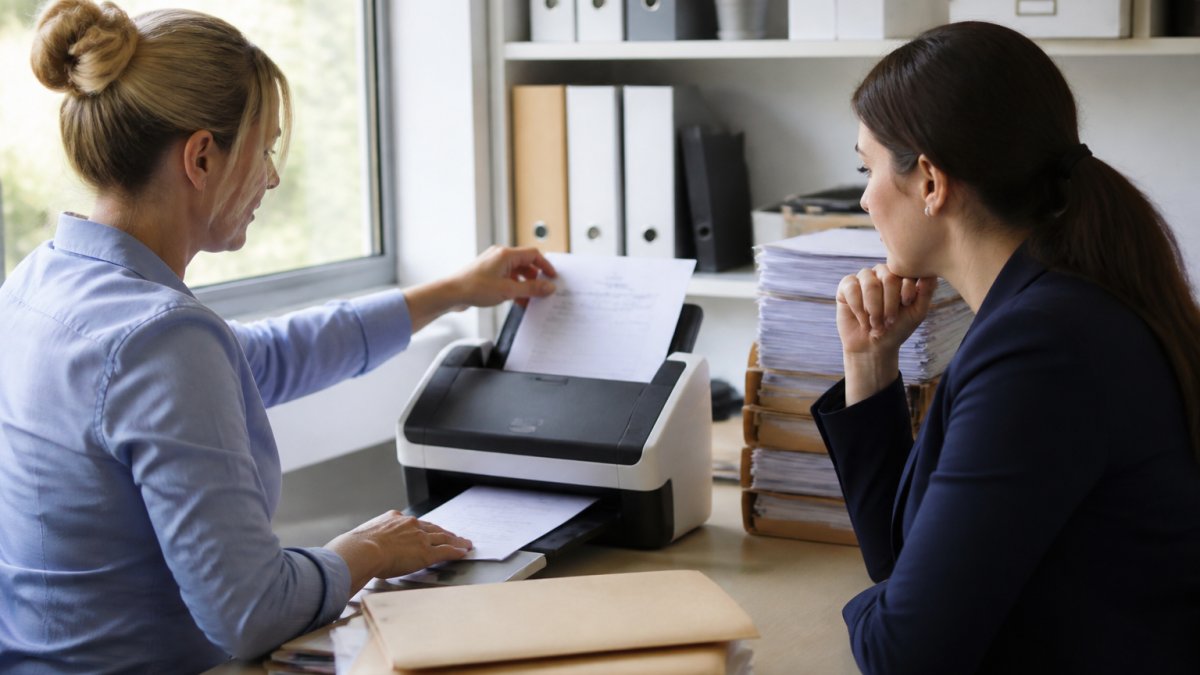
Capture, Index, Store, Retrieve, Retain
- Capture. Bring documents in from paper, email or line-of-business systems. Scan at a resolution that keeps text legible, and record the source.
- Index. Attach the metadata that makes a document findable: date, author, department, reference number and retention class. Indexing is where most projects underinvest.
- Store. Place the file in a repository with access controls inherited from the index, not applied afterwards.
- Retrieve. Search by metadata, not filename. If staff resort to browsing folders, indexing has failed.
- Retain. Apply a retention schedule and dispose of records on a documented basis.
The National Archives guidance on managing digital records sets out retention principles that translate well to any sector. Our advice: document the five stages before you shortlist any supplier.
Document Management System Features That Decide the Purchase
Buyers tend to compare feature lists.
Search, Permissions and Audit Trails
Search must work on metadata and full text together. A system that only searches filenames will push staff back to shared drives within weeks.
Permissions should be role-based and inherited, so a new starter inherits the correct access without a manual request. Audit trails must record who viewed, edited, downloaded or deleted a record, with timestamps that survive export.
Ask suppliers these questions before signing:
- Can permissions be set at folder and document level?
- Does the audit log export to a readable format?
- How does the system handle a leaver’s access?
Document Version Control Without the Confusion
Version control is the practice of keeping a clear record of every change to a document, who made it and when, so no one works from an outdated copy. It sounds administrative. It prevents the most expensive mistakes.
The common failure is the filename convention: report_final_v3_ACTUAL.docx.
A workable model has three rules:
- One master copy lives in the repository; local copies are read-only.
- Major versions are numbered and approved; minor edits are tracked automatically.
- Superseded versions are retained but clearly marked, never deleted.
The Information Commissioner’s Office guidance on data protection by design reinforces the principle that records should be accurate and kept only as long as needed, which version control supports directly.
Deleting superseded versions to “tidy up” is the single most common audit finding we see. Retain them, mark them superseded, and let the retention schedule decide disposal.
Choosing a System: A Decision Framework
Use this framework to shortlist suppliers against your actual requirements rather than their marketing. Score each option from 1 to 5 and require a minimum total before proceeding to demonstration.
| Criterion | What to Test | Weight |
|---|---|---|
| Metadata and search | Full-text plus metadata search on sample files | High |
| Permissions model | Role-based inheritance and offboarding | High |
| Audit trail | Exportable log with timestamps | High |
| Retention and disposal | Configurable schedule with approval step | Medium |
| Integration | Links to email, print and line-of-business systems | Medium |
| Support model | Named support route and response commitment | High |
Weight support heavily.
Document Management Best Practices That Hold Up Under Audit
Best practice in document management is less about technology and more about discipline.
Name a record owner for every major document class. Publish a retention schedule and review it annually. Train staff at induction, not once a year in a hurried email. Test retrieval: pick a random record and ask a colleague to find it in under two minutes.
The National Cyber Security Centre guidance on secure system design is worth reading alongside your access-control design, particularly on least-privilege principles.
Run a quarterly “find it” test with five randomly selected records. If any takes longer than two minutes to retrieve, your indexing needs work before your next audit, not after.
Where Document Management Programmes Go Wrong
Buying the tool first and designing the process second is the classic error. So is treating document management as an IT project when the real work sits with records owners across the business. A third: no plan for paper. Scanned backlogs stall because nobody budgets the time to clear them.
The Cabinet Office guidance on records management is clear that records management is a business responsibility, not a technical one. That framing matters when you are building a business case.
Document management rewards the same discipline.
Crispin Associates can help you with environmentally-conscious advice on the office technology that feeds your document workflow, including printers, copiers and interactive displays, backed by complete manufacturer support. We have supported education, corporate, charity and public sector clients since 2000. Contact us to discuss how your document management process and office technology should fit together.
Frequently Asked Questions
What is document management?
Document management is the set of processes and tools an organisation uses to capture, store, organise, retrieve and retain its files, whether they arrive as paper, email attachments or scans. In practice it means every document has a known owner, a controlled location and a defined retention period, rather than sitting in shared drives and inboxes. For public sector and charity teams, it also means being able to show an auditor who accessed a file and when. Good document management reduces duplicated work, speeds up response times and keeps records compliant with retention obligations.
What document management system features should we prioritise?
Start with the features that match your compliance obligations, not the longest feature list. Prioritise role-based permissions, a full audit trail, metadata tagging and fast full-text search. If you handle contracts or policies, add version control with rollback. For public sector procurement, check integration with your existing line-of-business systems and whether the supplier can evidence security accreditations. Scanning and OCR matter if you still hold paper. Reporting on retention and disposal is worth having if you answer freedom of information requests regularly. Anything beyond that can wait until the first system is embedded.
What is the difference between document management and records management?
Document management handles day-to-day working files: drafts, correspondence, invoices and anything in active use. Records management sits on top and governs which of those documents count as the official record, how long they must be kept and how they are disposed of. A document management system with retention rules and disposal workflows covers much of records management, but the two are distinct disciplines. Organisations with statutory retention duties should confirm the system can enforce retention schedules and produce a disposal audit trail before signing.
How can an organisation improve its document management process?
Audit what you already hold before buying anything. A short exercise mapping file types, owners and volumes usually reveals that a small number of document categories cause most of the chaos. Then agree a naming convention, a folder or metadata structure and a retention schedule, and assign owners for each category. Clean the worst offenders before migrating. Train staff on the new process in small groups rather than issuing a policy document. Finally, review usage after three months; most problems come from people keeping parallel copies in email or personal drives, so address that directly.
How does document version control work in practice?
Version control keeps every revision of a document as a separate, timestamped copy rather than overwriting the previous one. When someone edits a policy or contract, the system records who changed what and when, and the previous version stays retrievable. Most systems support check-in and check-out so two people cannot edit the same file simultaneously, plus approval workflows before a version becomes current. The practical benefit is that you can answer ‘which version did we sign?’ in seconds. Set a rule that only the current approved version is visible by default, with older versions available to named roles.