
Last Updated: November 22, 2026
Quick Summary
Print cost reduction software gives you control over printing overheads by tracking usage, enforcing quotas and reporting costs. The main alternatives are print management software, printer fleet management tools and print usage tracking software, each suited to different environments and budgets. Match the tool to your environment first, then to business size, then to price.
- Print management software tracks every job and applies rules before pages are produced.
- Pull printing holds jobs until users authenticate, so abandoned pages stop happening.
- PaperCut is a one-time licence reported from £435, but confirm edition and device scope.
- Measure pages per user, colour split, duplex rate and uncollected jobs first.
- Above 250 staff, full fleet management with finance-system integration becomes worthwhile.
Table of Contents
- Why Print Cost Reduction Software Matters for Business Budgets
- Print Management Software: The Core of Any Cost Reduction Plan
- Printer Fleet Management Software: Comparing the Main Alternatives
- Print Usage Tracking Software: What to Measure and Why
- Office Printing Cost-Saving Strategies That Work Alongside Software
- Total Cost of Ownership and a Decision Framework by Business Size
- Choosing the Right Print Cost Reduction Partner
- Frequently Asked Questions
Why Print Cost Reduction Software Matters for Business Budgets
Print cost reduction software gives finance and operations teams direct control over one of the most stubborn overheads in any office: the cost of putting toner on paper.
The problem is structural. Most offices buy devices, toner and paper through separate routes, with no single view of who prints what.
Below, we compare the main print cost reduction software alternatives for business, with honest notes on pricing, fit and trade-offs.
Print Management Software: The Core of Any Cost Reduction Plan
Print management software is the layer that sits between users and devices, tracking every job and applying rules before pages are produced. It is the foundation of any serious cost plan because it turns printing from an invisible overhead into measurable data.
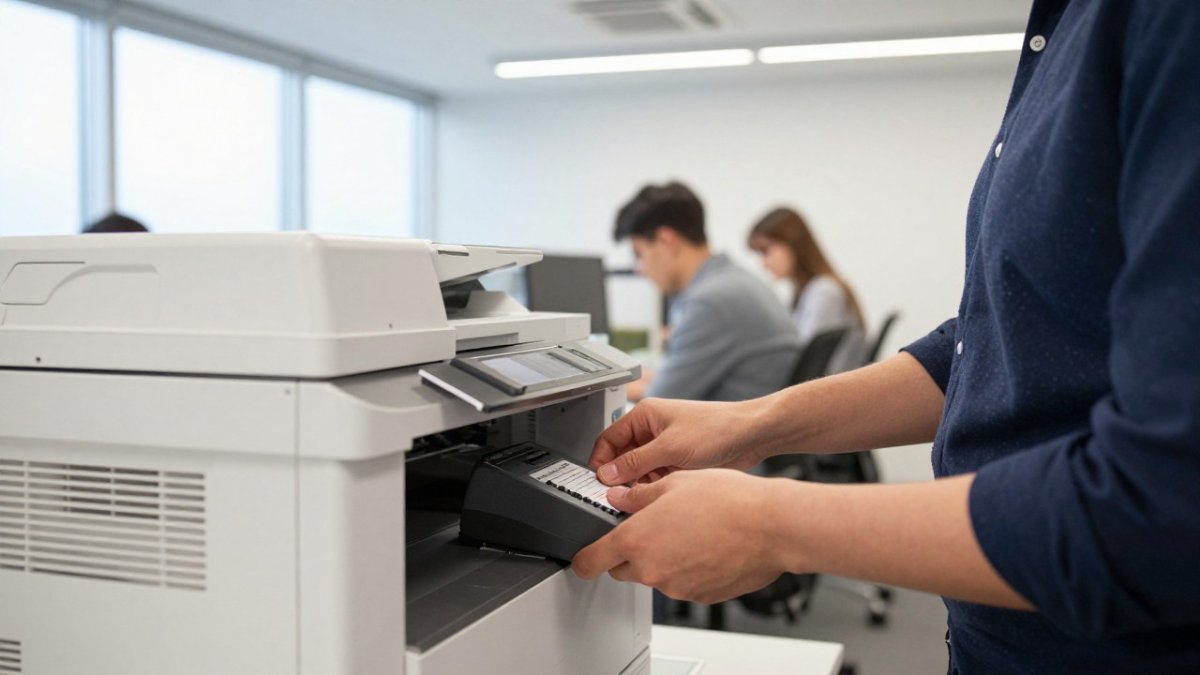
The core capabilities to expect:
- Print monitoring across the whole print fleet, including multifunction devices
- User authentication so every job is attributed to a person
- Print quotas and print policies that cap or block wasteful jobs
- Usage reporting and print analytics by department, device or user
- Cost allocation so departments see their own print costs
Without this layer, you are guessing. With it, every saving you make later can be measured.
Pull Printing and Secure Print Release
Pull printing holds a job until the user authenticates at the device. Secure print release means nothing prints until someone is standing there to collect it. The saving is immediate: uncollected jobs, the classic pile of abandoned pages beside the printer, simply stop happening. It also removes a genuine security gap, because confidential documents no longer sit in an output tray for anyone to pick up.
Print Quotas and User-Level Controls
Print quotas cap what each user or department can print, and user-level controls decide who may print in colour, duplex or at all. A common mistake is setting quotas so tight that staff work around them. Start generous, publish the policy, then tighten once the data shows where the waste actually is.
Printer Fleet Management Software: Comparing the Main Alternatives
Printer fleet management software is the toolset that administers devices, drivers and rules across an estate from one place. The alternatives below differ sharply in pricing model and scope, so match the tool to your environment rather than the other way round. A broader view of practical steps sits in our guide on how to reduce office printing costs.
| Option | Pricing model | Best For | Watch Out For |
|---|---|---|---|
| Crispin Associates | Quote-based service | Organisations wanting advice plus supply | Not a standalone software licence |
| PaperCut | One-time licence reported from £435 | Established print controls | Verify edition and licence scope |
| Docuflair Print | Contact for pricing | Quotas and pull printing | Pricing not published |
| Toshiba Multi Station | Contact for pricing | Basic serverless control | Limited feature detail available |
| P3Source | Contact for pricing | Print procurement and resale | Not a full fleet tool |
PaperCut
The catch is scope: the quoted figure does not establish which edition or how many devices it covers, so confirm both before budgeting. Budget separately for implementation, configuration, directory integration and user training are usually quoted as professional services rather than bundled into the licence.
Best for: organisations comparing established print-management software.
Skip if: you need a fully managed service rather than a licence.
Docuflair Print
Ask specifically whether the quote covers support renewal in year two and beyond, because a low first-year figure can mask a recurring charge.
Best for: businesses seeking quotas and pull printing.
Skip if: you need transparent published pricing up front.
Toshiba Multi Station and P3Source
Toshiba Multi Station is a serverless option for organisations wanting basic print management without extra infrastructure. P3Source serves a different need entirely: print procurement and resale for corporate, education and non-profit organisations. Neither publishes pricing, and neither is a full cost-reduction suite on its own.
Licence Models and the Full Cost of Ownership
Advertised prices are rarely the number that lands on the budget line.
A perpetual licence looks cheapest over five years if you keep the estate stable, but you carry the support fee and the upgrade effort. A subscription spreads cost and usually includes updates, but the total rises with headcount or device count. A managed service bundles software, support and often consumables, which simplifies budgeting but makes like-for-like comparison harder.
When you build the total cost of ownership, include:
- Licence or subscription for the number of devices and users you actually have, not the number you hope to have
- Implementation, configuration, directory or identity integration, and testing
- Hardware compatibility, older devices may need firmware updates or replacement to support secure release
- Support and maintenance, usually an annual percentage of the licence, or a per-device fee
- Internal admin time, the staff hours spent running reports, adjusting quotas and managing the server or cloud tenant
- Training and adoption, the cost of getting staff to use pull printing and quotas properly
A common pattern is that the licence is the smallest of these over a three-year horizon. Ask every vendor for a three-year total, not a first-year price, and ask what happens at renewal.
If you are weighing tools against budget, our printer fleet management software pricing guide sets out what drives cost before you shortlist.
Print Usage Tracking Software: What to Measure and Why
Print usage tracking software records volume, colour ratio, duplex rate and cost per department. Measure four things first: pages per user, colour versus mono split, single-sided versus duplex printing, and jobs never collected.
To judge whether your figures are high, compare them against benchmark data on average business printing costs per month. Tracking without a benchmark tells you what you spend, not whether it is reasonable.
Office Printing Cost-Saving Strategies That Work Alongside Software
Office printing cost-saving strategies work best when software enforces them automatically. Rules that rely on goodwill decay within weeks.
Duplex and Colour Rules
Set duplex printing as the default on every device and require a reason for colour. Colour printing costs several times more per page than mono, so it is the fastest lever available. Make colour access a permission, not a habit.
Consumables and Paper Consumption
Watch out: cheap third-party toner can void manufacturer warranties, so check terms before switching. The manufacturer guidance on consumables is worth reading before you commit.
Total Cost of Ownership and a Decision Framework by Business Size
Total cost of ownership for print software includes licence or subscription fees, implementation time, server or cloud hosting, support and the staff hours spent administering it. The licence price is rarely the largest number.
Most buying guides stop at headcount. That is too blunt, because two organisations of the same size can have completely different print environments.
Office Fleets
A single-site office with a handful of multifunction devices needs monitoring, quotas and pull printing, and little else.
Between 25 and 250 staff, add departmental reporting and cost allocation so each cost centre sees its own usage.
Above 250 staff, full fleet management with finance-system integration and role-based administration becomes worthwhile. The risk at this size is buying enterprise tooling and then under-configuring it, so budget for ongoing administration, not just the licence.
Distributed and Hybrid Teams
Organisations with multiple sites or a hybrid workforce face a different problem: devices are spread out, users move between them, and a server-based deployment becomes an administrative burden. Cloud-based print management with directory-based authentication lets a user release a job at any device on any site without IT rebuilding the rules per location. The trade-off is data handling, confirm where print metadata is stored and how it is retained, because job logs can contain document names and user identifiers.
Commercial Print Shops
A print shop has a different cost problem entirely. Its waste sits in estimating, imposition, spoilage and job reprints rather than in office quotas. Print-shop estimating and cost-calculation software, job and workflow management, and production tracking address that waste. Office print management tools are a poor fit here, and buying them because they appear in a generic comparison is a common and expensive mistake.
Security, Privacy and Compliance Trade-offs
Cost-saving features carry security decisions. Pull printing and secure release improve confidentiality because jobs are not left in output trays, but they depend on reliable authentication, card readers, PINs or directory credentials. If authentication fails, staff will find a workaround, and the saving disappears. Cloud deployment raises data-handling questions: where job metadata is held, who can access it, and how long it is kept.
Implementation Effort and Migration Risk
The costs that most often surprise buyers are the ones after signature. Deployment time depends on how many device models need firmware updates and how complex the directory integration is. User adoption depends on training and on whether the new rules feel reasonable.
Small organisations should not buy enterprise tooling. Larger ones should not settle for basic controls and then wonder why savings stall. Match the environment, then the size, then the price.
Choosing the Right Print Cost Reduction Partner
A software licence does not reduce costs on its own.
This is the gap we fill at Crispin Associates. If you are ready to act, you can explore our printing and copying services or contact us to discuss your requirements.
Print costs rarely fall by themselves. They fall when someone measures usage, sets rules and keeps them enforced. That is the work, and it is worth doing properly.
Frequently Asked Questions
What is print management software?
Print management software sits between users and printers to control how documents are printed. It handles secure print release, quotas, usage reporting and cost allocation across a printer fleet. Instead of every job printing automatically, users authenticate at the device and release only what they need. This single change cuts wasted pages from abandoned jobs and gives finance teams real data on print volume by department, which is the starting point for any serious print cost reduction programme.
How much does print management software cost?
Pricing varies by vendor, edition and fleet size, so there is no single figure to quote. Some products are sold as a one-time licence, while others charge per device or per user annually. Cloud-based print management often shifts cost to a subscription. Ask each supplier what the price covers: support, upgrades, integration with your existing print servers and onboarding. Request a written quote against your actual device count so you can compare total cost of ownership rather than headline licence fees.
Can print management software track printing by user or department?
Yes. Print usage tracking software logs every job against a user account, which can be grouped by department, cost centre or project. That data feeds usage reporting and print analytics dashboards showing who prints what, in colour or mono, single or double-sided. For organisations needing cost allocation, these reports let you recharge print costs internally. It also exposes heavy users and unusual patterns, so you can target print policies where they will save the most.
Is print management software suitable for small businesses?
Smaller organisations can benefit, but the right choice depends on fleet size and print volume. A 15-person charity may not need a full enterprise platform; a serverless option or the print controls built into multifunction devices can be enough. The decision framework should weigh implementation effort against measured savings. If your monthly print costs are modest, start with office printing cost-saving strategies such as duplex defaults and colour restrictions, then add software once the numbers justify it.
What are the alternatives to print management software?
Alternatives fall into three groups. First, serverless systems embedded in multifunction devices, which suit basic needs. Second, print procurement platforms that manage ordering and resale rather than day-to-day printing. Third, managed print services, where a supplier takes responsibility for the printer fleet, consumables and support under one contract. Each has different trade-offs in cost, control and implementation effort, so compare them against your print environment rather than assuming software is always the answer.
