Last Updated: November 5, 2026
Quick Summary
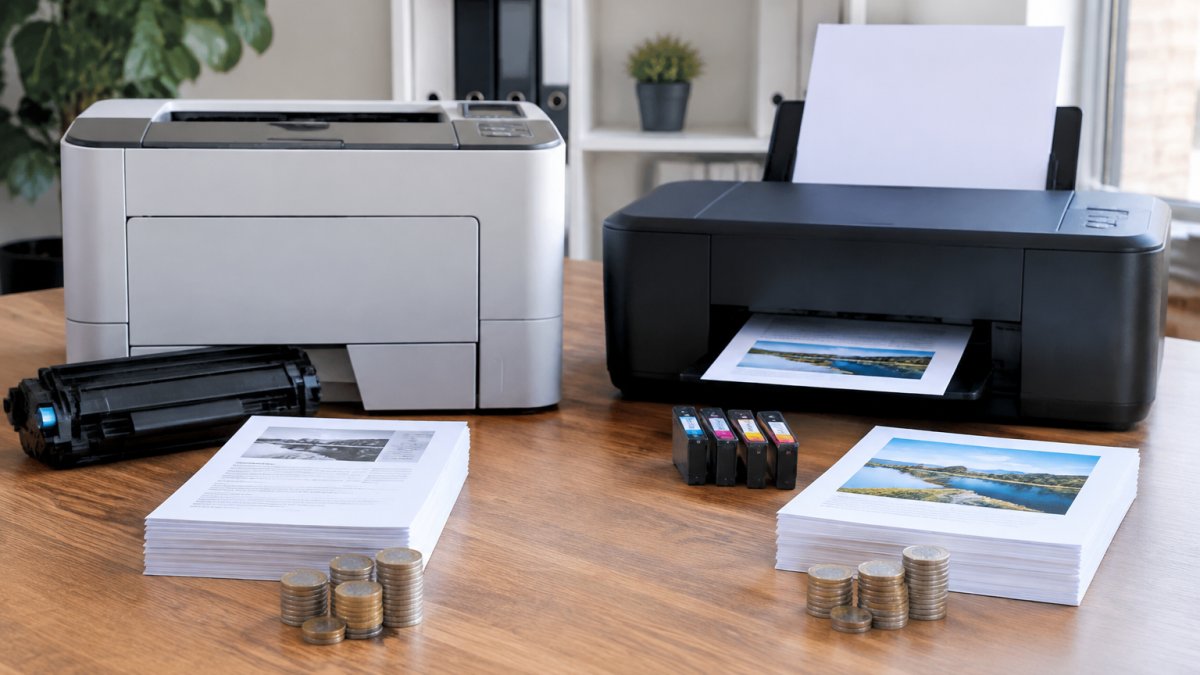
For business use, laser printers usually deliver a lower printer cost per page for mono document printing, while inkjet models can undercut them on occasional colour work. The gap widens sharply as print volume rises, so calculate both figures before you buy.
- A colour page uses three cartridges instead of one, so consumable cost roughly triples.
- Page yields assume around 5% coverage, so dense documents can halve effective yield.
- At 200-800 pages a month, an entry laser or EcoTank-style inkjet usually wins.
- A 2p per page difference across 20,000 pages a year is £400.
- Under 200 pages a month, a budget inkjet is likely the better choice.
Table of Contents
- Why Printer Cost Per Page Decides Your Real Printing Bill
- Laser vs Inkjet Cost Per Page: Which Is Cheaper for Business Use?
- How to Use a Printer Cost Per Page Calculator Correctly
- Business Printer Total Cost of Ownership Beyond the Cartridge
- Average Business Printing Costs Per Month by Office Size
- Comparing Real Business Printers: Where the Money Goes
- Request a Print Cost Review from Crispin Associates
- Frequently Asked Questions
Why Printer Cost Per Page Decides Your Real Printing Bill
The purchase price on a business printer tells you almost nothing about what it will cost to run.
A printer cost per page is the total cost of ink or toner divided by the number of pages that consumable produces under stated coverage conditions. It sounds simple.
At Crispin Associates, we have advised organisations on office technology since 2000, from NHS trusts and councils to schools and charities. The pattern is consistent: buyers compare hardware prices, then discover the running costs sit in a different order of magnitude entirely.
Below, we show you exactly how to calculate cost per page, where laser and inkjet diverge, and why the cheapest box on the quote is often the most expensive decision you will make this year.
Laser vs Inkjet Cost Per Page: Which Is Cheaper for Business Use?
For business use, laser printers usually win on cost per page for mono document printing, while inkjet models can undercut them on occasional colour work. The gap widens sharply as print volume rises.
Laser printing uses toner, which is cheap per page and does not dry out between jobs. Inkjet uses liquid ink, which costs more per page on average but produces strong colour output on photo and marketing material.
The practical rule we give clients is straightforward:
- Mono documents, high volume: laser wins on running costs
- Colour marketing, low volume: inkjet can be competitive
- Mixed workloads: a colour laser or a monitored multifunction device usually balances out
What most guides miss is that a laser printer costing more upfront often pays for itself within the first year of moderate use. The hardware premium is recovered through cheaper consumables. That is the trade-off, and it is worth doing the arithmetic before you sign.
Mono vs Colour: The Cost Gap That Surprises Most Buyers
Monochrome printing is consistently cheaper per page than colour, and the difference is larger than most buyers expect. A colour page uses three toner or ink cartridges instead of one, so the consumable cost roughly triples on a full-colour document.
Many offices print in colour by default without realising it. A single policy change, setting mono as the default and requiring a deliberate choice for colour, can cut consumable spend noticeably.
Watch out: leaving colour as the default setting across a shared multifunction printer is one of the most common causes of unnecessary consumable spend we see. Users rarely change a setting they never notice.
How to Use a Printer Cost Per Page Calculator Correctly
A printer cost per page calculator divides the cartridge price by its page yield, then adds any paper and service costs you want to include. The formula is simple; the inputs are where people go wrong.
Use this method:
- Find the cartridge price in GBP
- Find the stated page yield for that cartridge
- Divide price by yield to get the consumable cost per page
- Add paper cost per sheet
- Add any service or maintenance cost per page from your contract
For a colour device, repeat the calculation for each colour cartridge and combine them for a full-colour page.
To make the arithmetic concrete, work through a mono laser example using your own cartridge quote. Divide the cartridge price by its stated yield, then add paper and any service charge from your contract.
The same method can be applied to a colour laser. Calculate the cost of each colour cartridge against its stated yield, then combine them for a full-colour page.
The Page Coverage Assumption That Skews Every Calculation
Page yield figures assume a standard coverage percentage, typically around 5% of the page. Real business documents often run well above that, especially anything with logos, charts or images.
This is the single biggest distortion in any printer cost per page comparison. A cartridge rated for a high page count under test conditions will deliver fewer pages in an office printing dense reports.
A useful rule of thumb is to treat the manufacturer yield as a best case and apply a coverage adjustment.
Watch out: comparing a mono cost per page from one manufacturer against a colour cost per page from another without checking whether both used the same coverage assumption and the same cartridge size produces a meaningless result.
Building a Like-for-Like Comparison Table
The only fair comparison applies identical assumptions to every device. Build a simple table with one row per printer and columns for purchase price, mono cost per page in pence, colour cost per page in pence, stated yield, assumed coverage and service cost per page. Fill every cell using the same method and the same paper price.
A common pattern is that the device with the lowest purchase price has the highest cost per page, and the gap only becomes visible once both figures sit in the same table. Keep the table in pence rather than pounds, because fractions of a penny per page are where the differences actually live.
Business Printer Total Cost of Ownership Beyond the Cartridge
Total cost of ownership covers everything a printer costs over its life: hardware, consumables, paper, maintenance, energy, downtime and eventual disposal. Consumables are usually the largest slice, but the others are not trivial.
Hardware is a one-off. Consumables recur every month. Service and downtime costs sit in between and are the easiest to overlook because they arrive as interruptions rather than invoices.
A useful way to frame it is cost per page against total pages printed over the device’s life.
If you want to cut the ongoing costs this creates, our guide on how to reduce office printing costs sets out the practical steps in order of impact.
Break-Even by Print Volume: When Cheap Hardware Costs More
Break-even analysis answers one question: at what monthly volume does the cheaper-to-buy printer become the more expensive one to run?
The logic is simple. A low purchase price with high consumable costs loses ground every month. A higher purchase price with low consumable costs catches up and then pulls ahead. The crossover point is your break-even volume.
| Monthly Volume | Likely Better Choice | Why |
|---|---|---|
| Under 200 pages | Budget inkjet | Low use never recovers a hardware premium |
| 200-800 pages | Entry laser or EcoTank-style inkjet | Running costs start to dominate |
| 800-2,500 pages | Mono or colour laser | Consumable cost per page wins |
| Over 2,500 pages | Managed multifunction device | Service and support become decisive |
Estimate your volume honestly. Most offices overestimate how much they print and underestimate how much colour they use.
Average Business Printing Costs Per Month by Office Size
Monthly printing costs scale with headcount, but not linearly. A small office pays proportionally more per person because fixed costs are spread across fewer users.
Broadly, smaller offices carry higher cost per page because they buy consumables at lower volumes and run devices less efficiently. Larger offices benefit from volume pricing, service contracts and better device utilisation.
For benchmark figures by office size, our breakdown of average business printing costs per month gives a like-for-like reference you can hold against your own bill.
The most useful comparison is your own cost per page against a realistic benchmark, not your total spend against another company’s total spend. Different sectors print very different volumes.
Comparing Real Business Printers: Where the Money Goes
The Epson EcoTank Pro ET-5850 is PCMag’s top business printer pick, praised for its low reported cost per page. Refillable tank designs suit offices that print steadily and want to avoid frequent cartridge swaps.
is RTINGS’s budget pick for small business, aimed at black-and-white document work. It suits offices that genuinely do not need colour.
For colour offices, the Brother MFC-L8930CDW is RTINGS’s best tested office printer, noted for document quality and speed. The Brother MFC-L3780CDW appears in iFeelTech’s 2026 business printer roundup with reliable drivers highlighted.
Service Plans and Downtime: The Cost Competitors Ignore
Downtime is the cost that never appears on a printer quote. A failed device stops work, and staff time lost waiting for a fix is real money.
Service plans trade a predictable monthly cost for maintenance cover. For high-volume offices, that predictability is usually worth more than the fee. For low-volume offices, it may not be.
If downtime is already hurting productivity, our tips to reduce printer maintenance downtime cover what you can control before you commit to a contract.
Request a Print Cost Review from Crispin Associates
Most organisations we meet are paying more per page than they need to, and they cannot see where the money goes until someone maps it out. A structured print cost review replaces guesswork with a like-for-like comparison across your devices, volumes and contracts.
At Crispin Associates, we provide environmentally friendly office technology advice backed by complete manufacturer support. We can assess your current fleet, calculate your real cost per page, and recommend devices and service arrangements that fit your budget and your sustainability commitments.
You can explore our printing and copying services to see how we support organisations, or contact us to arrange your print cost review.
Frequently Asked Questions
Which business printer has the lowest cost per page?
It depends on volume and whether you print colour. High-yield inkjet models can be competitive on running costs, while mono laser printers usually win on plain black-and-white documents. The lowest figure only matters if it matches your actual monthly print volume and page coverage, so calculate your own printer cost per page from cartridge yield and price before deciding.
How do you calculate a printer’s cost per page?
Divide the cartridge price by its stated page yield, then add any paper cost. For example, divide the price on your cartridge quote by its stated yield. Use a printer cost per page calculator to run the same sum for mono and colour cartridges separately, because colour yields are usually lower and prices higher. Recalculate whenever you change cartridge size, since high-yield versions often cut the per-page figure significantly.
Is laser or inkjet cheaper for business printing?
For steady mono document output, laser usually costs less per page and needs fewer cartridge changes. Inkjet, particularly refillable tank models, can undercut laser on colour pages and suits low-volume offices that print infrequently, since laser toner does not dry out. The laser vs inkjet cost per page decision hinges on your colour mix and monthly volume rather than the purchase price alone. Ask for a like-for-like comparison using your own print figures.
Should a business compare printer purchase price or total cost of ownership?
Total cost of ownership is the honest measure. A cheaper printer with expensive cartridges can cost more within two years at moderate volume. Add purchase price, consumables, paper, maintenance, service plans and downtime to get business printer total cost of ownership. Break-even analysis by print volume shows where a higher upfront price pays back.
How can a business reduce its printing costs?
Start by measuring average business printing costs per month, then act on the biggest line: consumables. Switch default settings to duplex and mono, set high-yield cartridges as standard, and remove colour access for staff who do not need it. Consolidate several desktop printers into one multifunction device with a service plan. A managed print review typically identifies waste in page coverage and unnecessary colour printing, and Crispin Associates can assess your fleet and recommend changes.
The challenge is not finding a cheaper printer. It is knowing which costs to compare, and most quotes are built to hide them. Get that comparison right once and every future purchasing decision gets easier.
Get started with Crispin Associates and turn your printing costs into a figure you can actually control.
